It has been just over a week since Apple released macOS 27 Golden Gate, an update that was expected to address many of the complaints and bugs introduced with macOS Tahoe. However, during my first week with Golden Gate, I’ve encountered more annoying bugs than I did during my entire year using Tahoe.
Notification Centre Crashing
My Mac's Notification Centre has crashed twice in the past week, with one notification from iMessage getting permanently stuck in the top right of my screen.
The buttons to dismiss or interact with the notification did not work, and clicking the date in the top right did not open Notification Centre like usual.
When the beachball appeared, I realised it had crashed and used Terminal to reset the panel.
A few days later, the crash happened again, and I had to restart my Mac to continue. Since then, the bug has not replicated itself but I still encounter that Notification Centre is still a bit slow and jumpy when opening it.
Control Centre Disappears
When I open Control Centre to view what’s currently playing, some of the tiles can disappear as I skip through the content I’m listening to, causing them to lose their Liquid Glass background.
Whilst trying to reproduce the issue for this article, things got even worse. Control Centre has now stopped opening entirely. Neither the Control Centre button in the menu bar nor the keyboard shortcut does anything, leaving me unable to open it at all.
Mission Control windows get stuck
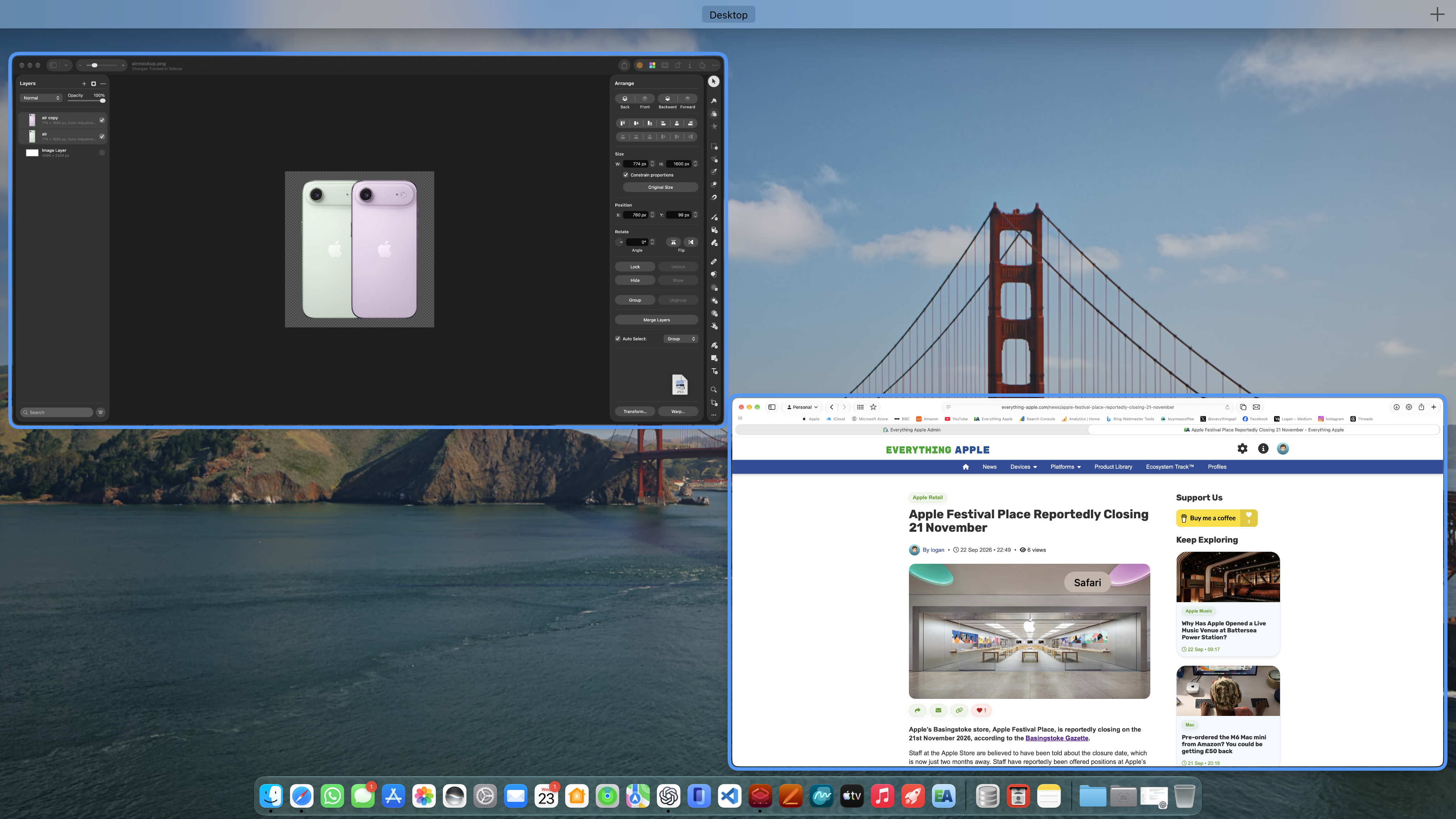
I regularly use drag and drop across my Mac to move content between windows. This includes dragging images from Safari to my Pixelmator Pro canvas.
On macOS Tahoe, I could drag an image from Safari, swipe up on my trackpad to open Mission Control, hover over my Pixelmator Pro window and drop the image into the app.
In Golden Gate, however, the Safari window remains selected. Although Pixelmator Pro becomes highlighted as I hover over it, completing the gesture causes macOS to return to Safari instead of switching to Pixelmator Pro.
In the example above, I’m dragging an image from Safari into Pixelmator Pro. The blue outline shows that Pixelmator Pro has been selected, but macOS still returns me to Safari when I release the image.
FaceTime and Photo Booth backgrounds won’t turn on
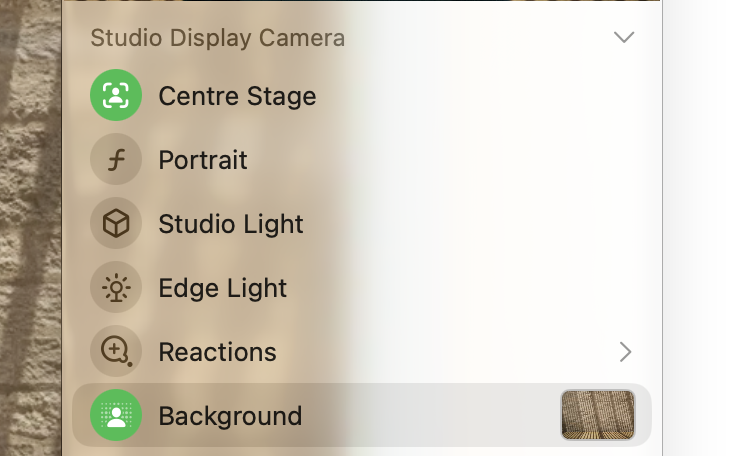
macOS includes built-in backgrounds that can be added to your camera feed, which can be useful for video calls or when using Photo Booth.
However, when I tried to enable one, the camera settings in the menu bar showed that the background had been selected and was enabled. Despite this, the background wasn't actually applied. Instead, I could still see the room behind me as normal.
Normally, macOS detects you as the subject and places the selected background, such as an image of Apple Park, behind you. This is designed to keep you visible on camera while hiding everything else in your surroundings.
The screenshot above shows the panel after I got the feature to work, by restarting my Mac once again.
Siri sometimes gives up mid-conversation
I have enjoyed using Siri AI on my Mac the past week. Siri is convenient for asking any questions about what is on your screen or quick trivia, directly from Spotlight search.
However, you can be mid-conversation with Siri when it suddenly decides to give up, and just dismiss itself. I have also found Siri to sometimes endlessly load when you ask a question, that is as simple as 'what's the temperature in the front room?'.
My six-year-old HomePod mini can answer that question much more quickly.
Safari search sometimes doesn’t work on the first attempt
Sometimes, when you type a query into the Safari search bar and press enter, nothing happens. To work around this, I have to open a new tab and retype my query for the search to work.
This bug may be specific to Safari itself and not macOS 27 Golden Gate, as the issue also occurs on my iPhone and iPad.
Restarting Safari or force quitting the app doesn't appear to resolve the issue. So far, the only workaround I've found is to open a new tab and try the search again.
A frustrating first week
I have still managed to use my Mac as usual, with no major issues. However, these bugs have been frustrating.
Some have been minor visual glitches, while others have required me to restart apps or even my Mac to get things working again. This is the first release, and fixes should hopefully come in 27.1, but after many months of public testing and positive feedback from the community, I didn't expect to encounter so many issues.
Controversially, I've had a better experience with macOS Tahoe so far.