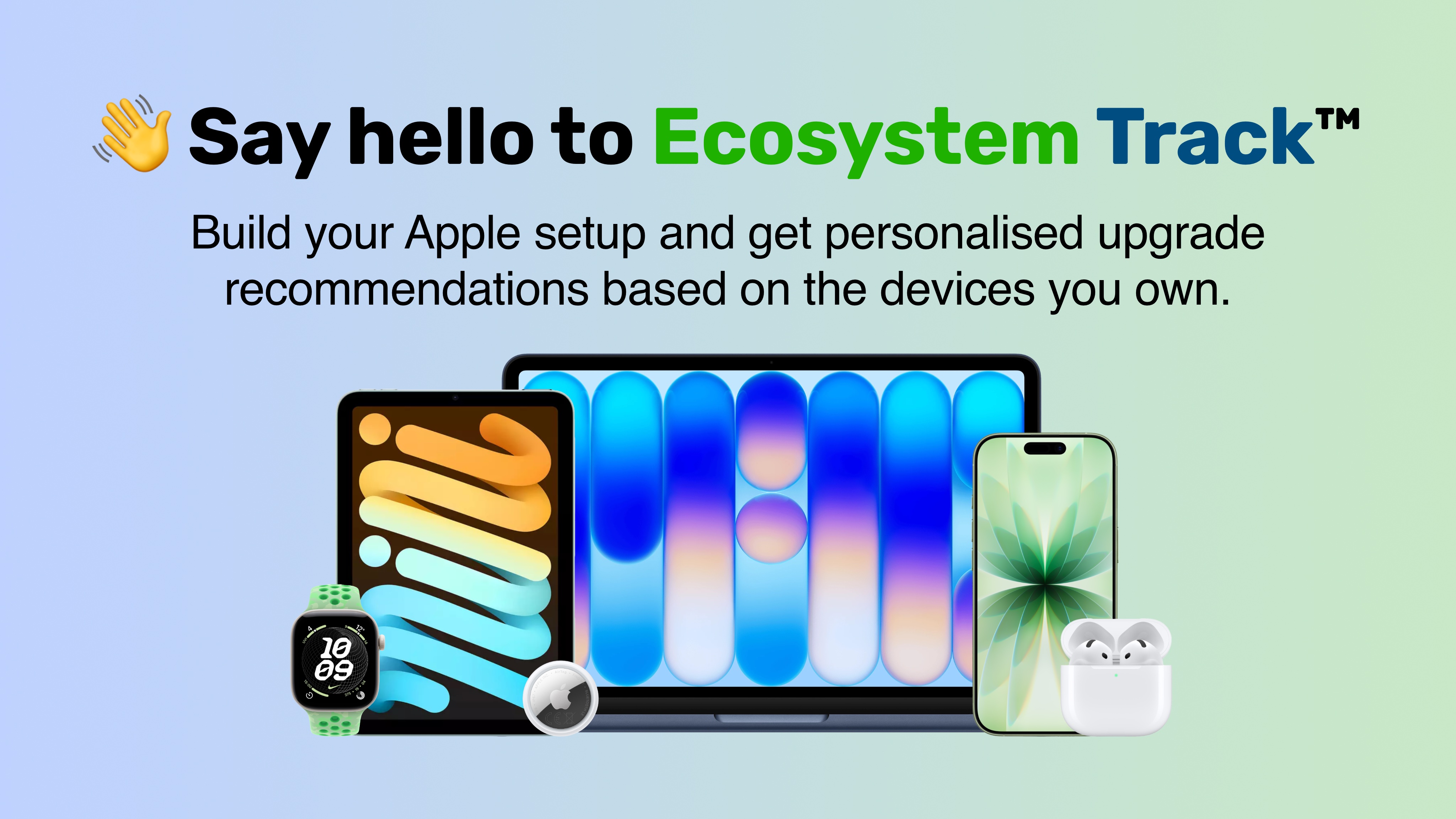
Everything Apple has today debuted an overhauled version of Ecosystem Track™, an Apple device tracker designed to help users manage their entire Apple setup in one place. Beyond tracking the products they own, Ecosystem Track monitors software updates, new product generations, device anniversaries and potential upgrade opportunities.
To use Ecosystem Track, users must sign up to a free Everything Apple Account, by simply creating a username, password and adding their email. Users can then navigate to Ecosystem Track using the navigation bar, where they will be invited to add their setup.
Everything Apple features an expansive Product Library of over 140 Apple devices and accessories that users can add, with the option to select the colour and storage of their device. Memory options are also available for Mac models.
Adding Your Setup
The setup page features a grid of Apple products, with a search bar so you can easily find a device you own, or used to own. When you select a product, a pop-up will appear where you can select the colour, storage and memory of the device. A choice then follows if you'd like to add the product to your current setup, or historic setup.
A green setup bar floats at the bottom of your screen, easily accessible when you're ready to move on.
Ecosystem Track Home Page
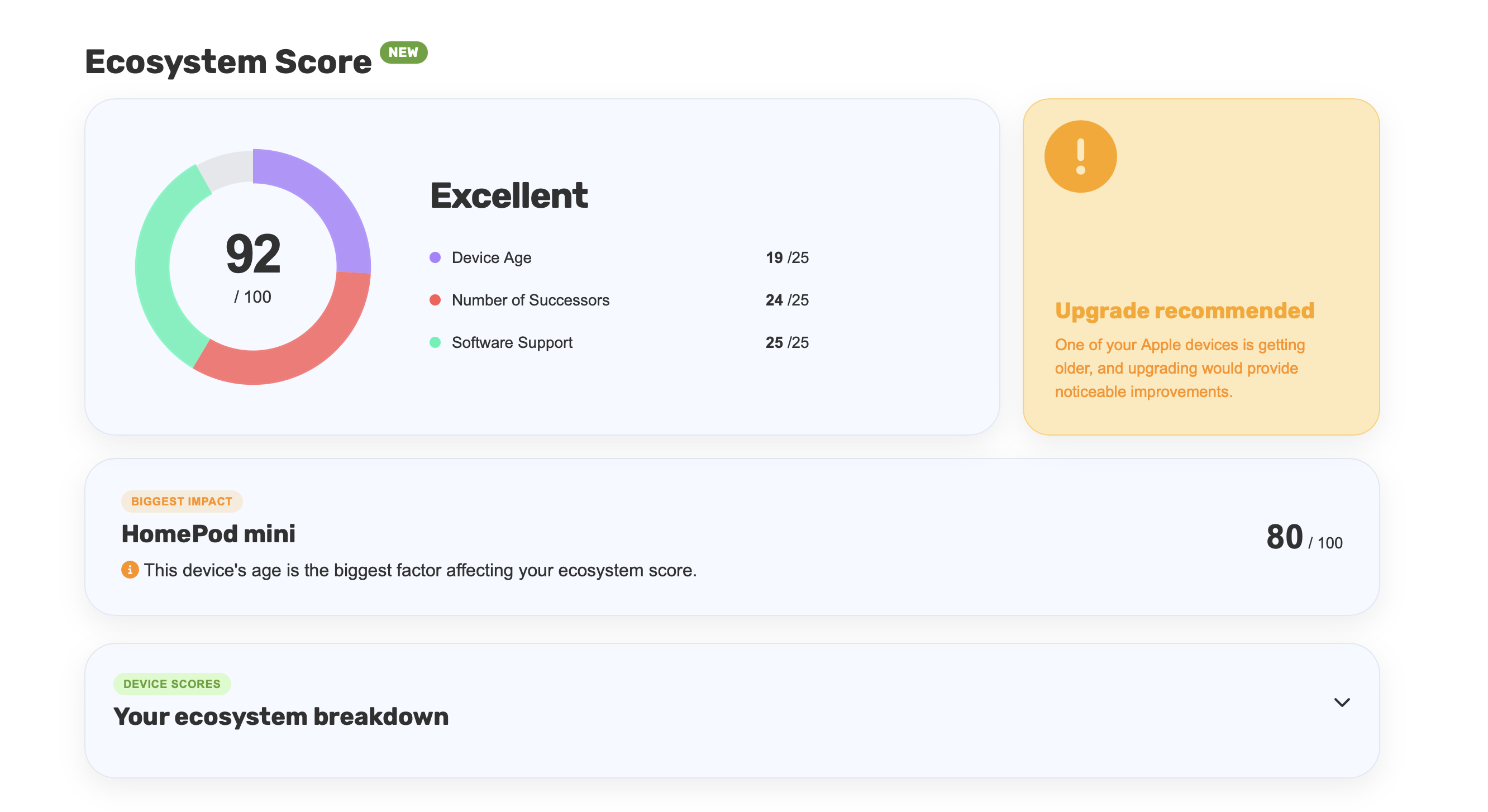
The Ecosystem Track home page features your Setup Score, the device that is having the biggest impact on your score, a full breakdown of your devices and an alert on any changes you may want to make to your ecosystem.
Setup Score
Your setup score is made up of three elements:
- Is the device still supported by the latest software?
- How many successors does the device have?
- How old is the device?
These three elements are calculated individually, and then presented to you with a rating out of 100.
Ecosystem Track alerts you about which device is having the biggest impact on your score, which is likely the oldest device in your setup, that you may need to consider upgrading.
Beneath this, there is a full breakdown of each device, with its own independent score out of 100 with information on why the score has been reduced.
Alerts
Users will see one of three alert types next to their Setup Score.
- Newer Versions Available - One or multiple of your devices have newer versions, but your ecosystem is still perfectly fine
- Upgrade Recommended - One or multiple of your devices are getting older, but are still supported by the latest software
- Your Ecosystem Needs Attention - One or multiple of your devices no longer receive the latest software updates
Updates and Anniversaries
The Ecosystem Track home page also keeps users up to date with what's happening across their Apple setup.
When a new software update becomes available for a device in your setup, Ecosystem Track will highlight it on the home page, making it easy to see when your devices have new updates available.
Ecosystem Track also tracks the anniversaries of products in your setup. When one of your devices reaches an anniversary of its original release, you'll be able to see it on the home page.
Your Setup and Accessories
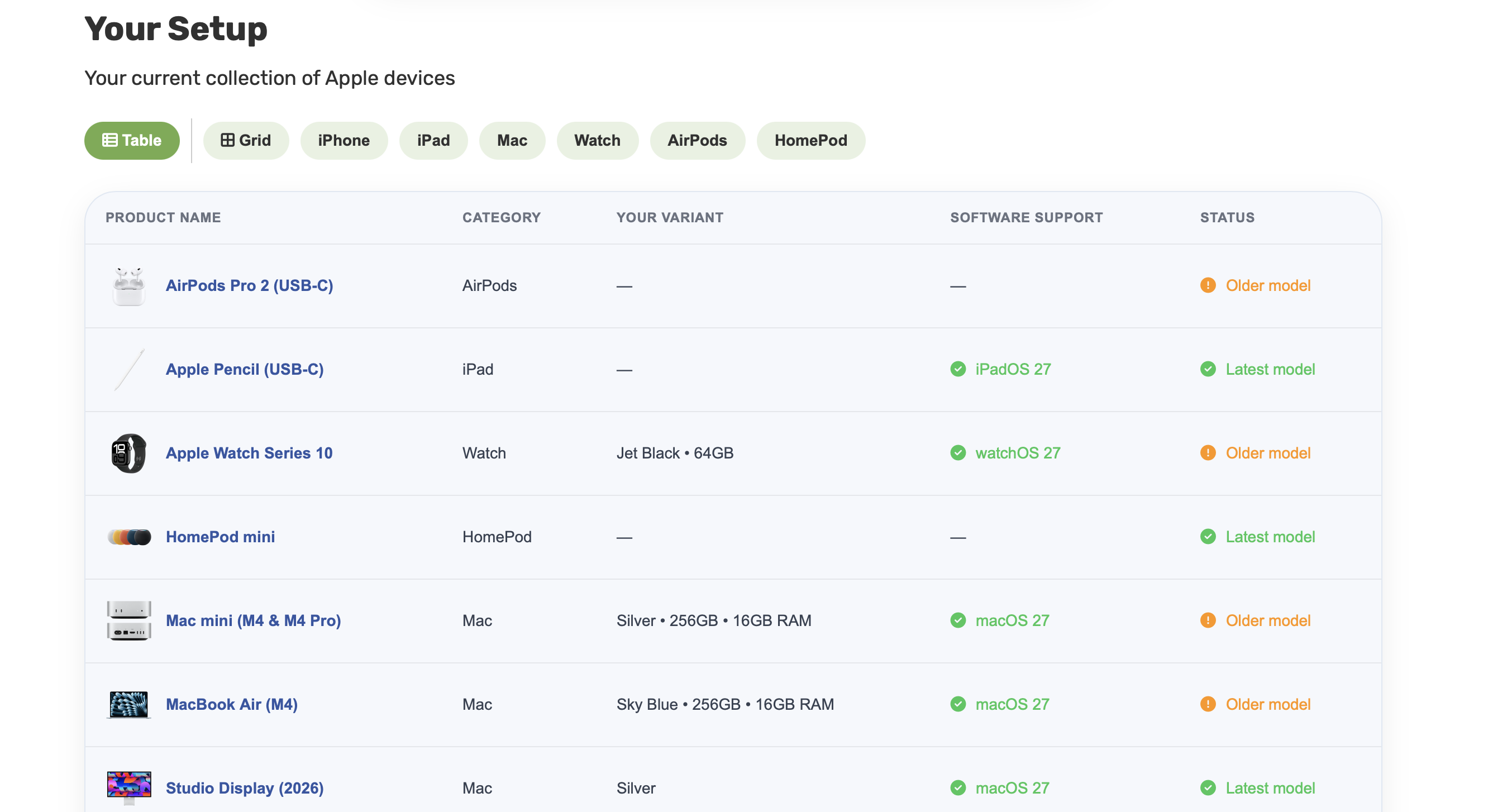
Ecosystem Track features independent pages for your current Apple setup and current Apple accessories.
These pages show your complete current device setup in a table format, which can be toggled to a grid view. This page is useful for users who would like to glance over all the Apple products they currently use, and review if they receive the latest software updates and if there are any newer versions available.
The accessories page offers a similar layout, but is dedicated to Apple accessories including AirTags, Watch bands, phone cases and cables.
Recommendations
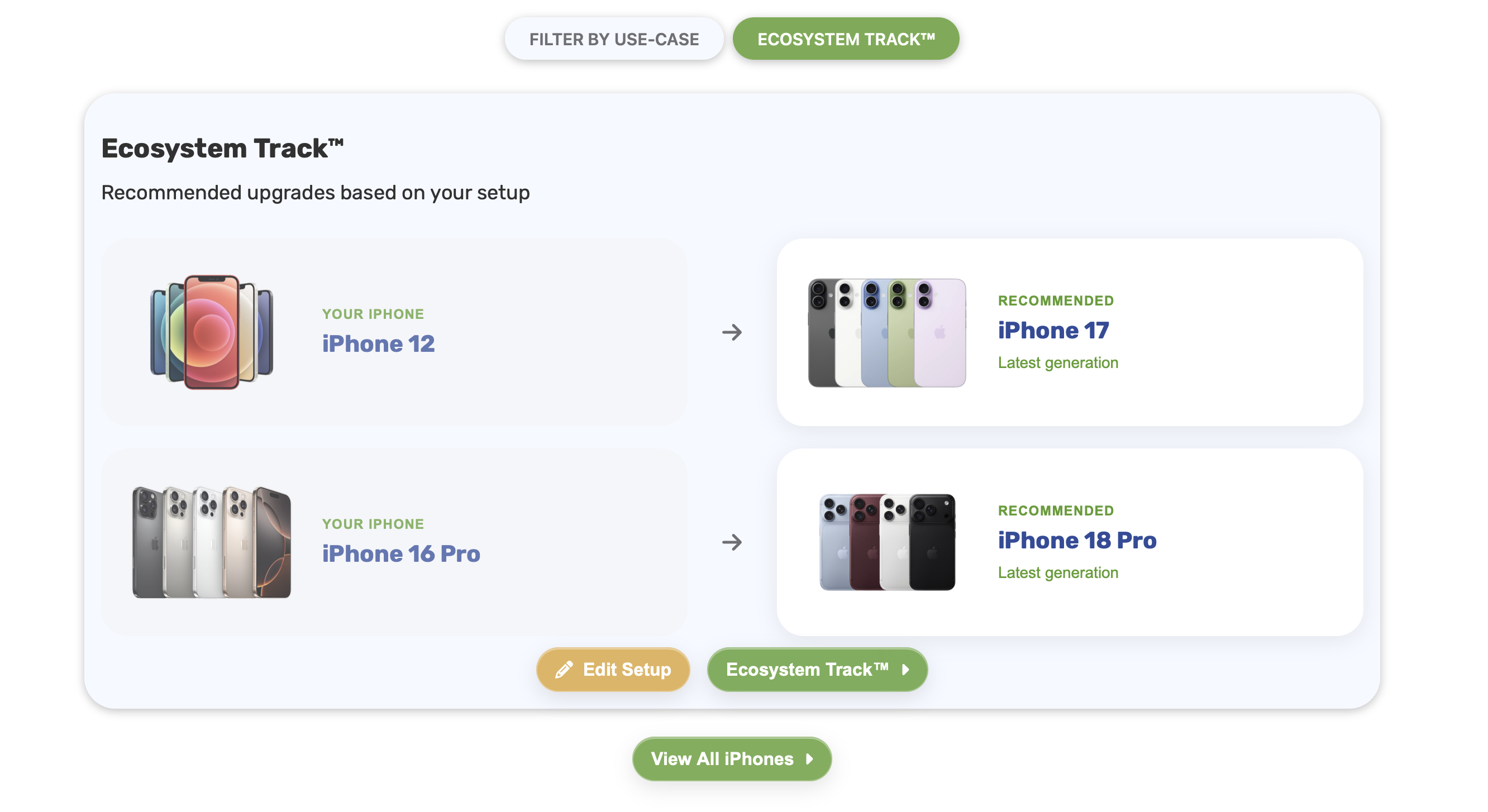
Ecosystem Track can detect when you're using an older Apple product, and if a newer generation is available. The recommendations tab gives the user an overview of everything in their current Apple setup that has newer versions available.
Recommendations can also detect if a product line has been discontinued, and suggest the next best thing from Apple.
Recommendations are deeply integrated throughout the Everything Apple website, with Ecosystem Track upgrade advice appearing throughout the device guides including iPhone, iPad, Mac, Apple Watch and AirPods & Audio.
If the user visits the Product Library, and clicks on a device, they will see a Recommended for you tag if Ecosystem Track detects the device is relevant to you, based on your current setup.
Timeline
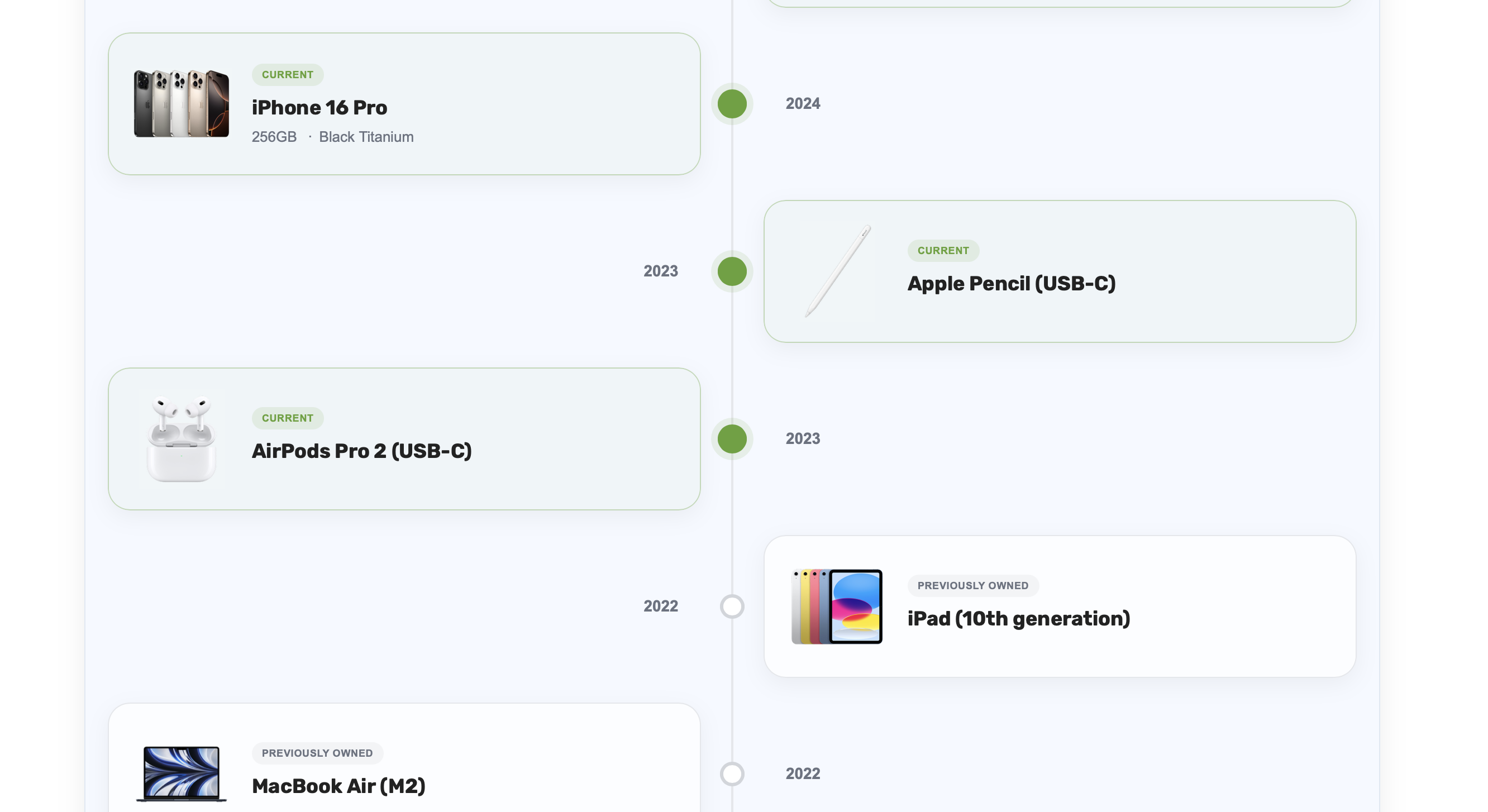
When a user adds a product to their historic setup, it will show up on the timeline as a product that they previously owned. These products sit next to the users' current setup on the timeline, so you can glance through your complete Apple journey.
Products appear in order of release date, so you can see how both Apple and the technology you use every day have changed over the years.
Profiles and Community Features

Ecosystem Track users can use the Profiles tab in the website's navigation bar to discover other users.
Visiting their profile, you can view the users Setup Score, oldest Apple Product they have ever used, current newest product and the date their first Apple product was released.
Clicking on these statistics brings up a comparison between you and the user, so you can compete with your friends, family and the Everything Apple community.
Once you have signed up to Ecosystem Track, you can customise your own profile by writing a bio, uploading a profile picture and choosing one of the preset banners.
The profile page displays your statistics and your current Apple setup and accessories, so you can share your profile with others.
Additional Everything Apple Account Features
Users with Everything Apple Accounts can like news articles, to show which articles they enjoyed the most. These likes are fed back to Everything Apple writers, who can adjust their content based on the users interests.
This is only the beginning, with additional community features planned as Everything Apple grows and expands over time.
Availability
Ecosystem Track is available now through Everything Apple. An Everything Apple Account is free to create, and users can begin building their setup immediately.
FAQs
What is an Apple device tracker?
Ecosystem Track is an Apple device tracker from Everything Apple that allows users to keep track of the Apple products they own, monitor software support, see newer generations, track product anniversaries and receive personalised recommendations.
What is Everything Apple Ecosystem Track?
Ecosystem Track is a free service from Everything Apple that helps users manage their Apple ecosystem. Users can add their current and previously owned Apple products, view their Setup Score, track software updates and receive recommendations based on their setup.
Can I track all my Apple devices in one place?
Yes. Ecosystem Track allows users to add Apple devices from the Everything Apple Product Library to their current setup, including products such as iPhone, iPad, Mac, Apple Watch and AirPods.
Can Ecosystem Track tell me when my Apple devices get software updates?
Yes. The Ecosystem Track homepage can highlight when software updates become available for iPhone, iPad, Mac, Apple Watch, Apple TV and Vision products in your setup.
Can Ecosystem Track tell me when my Apple device has an anniversary?
Yes. Ecosystem Track stores the release dates of products in your setup and can highlight when one of your devices reaches an anniversary.
What is an Ecosystem Track Setup Score?
The Setup Score is a score out of 100 based on the age of your devices, whether they support the latest software and how many newer generations have been released.
Does Ecosystem Track recommend when I should upgrade?
Ecosystem Track can identify products in your setup that have newer generations available and highlight devices that may need attention.
Can I add Apple products I previously owned?
Yes. Products can be added to your historic setup and will appear on your Ecosystem Track timeline alongside your current devices.
Is Ecosystem Track free?
Yes. Ecosystem Track is available to users with a free Everything Apple Account.
Can I share my Apple setup with other people?
Yes. Everything Apple Profiles allow users to display their Apple setup and accessories, along with statistics such as their Setup Score and oldest Apple product.