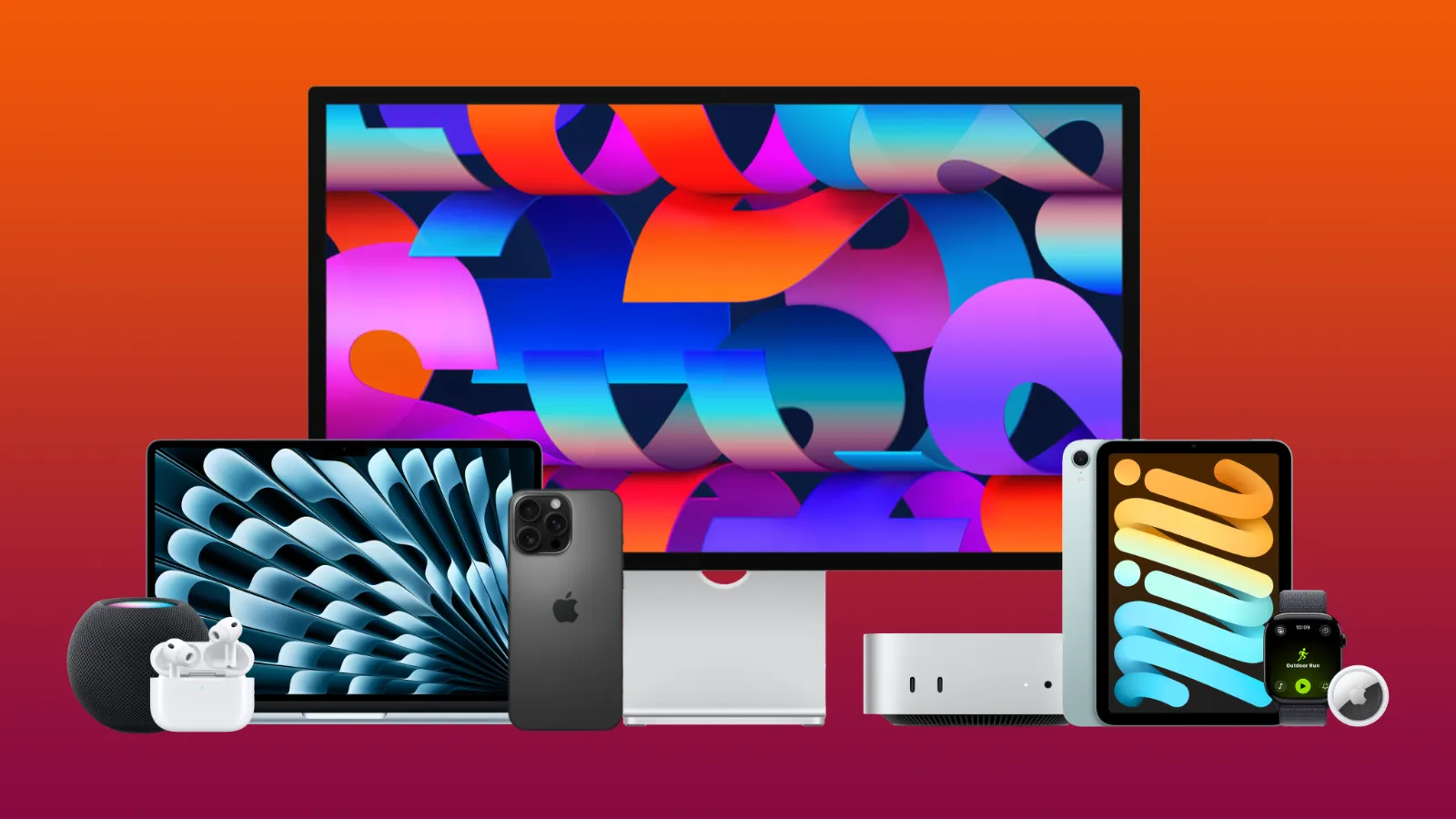
Since getting my first iPhone in 2018, I've gradually found myself going deeper into the Apple ecosystem.
After a few years with just the iPhone, I found myself expanding into Apple's wearable offerings, purchasing my first Apple Watch in 2021, followed by AirPods in 2023.
In 2024, I bought a HomePod and made the jump from Windows to Mac. The following year, I loved Mac so much I bought a second Mac, in addition to my first iPad.
Throughout this journey, I have also built up a collection of Apple accessories, including iPad Folios, Magic accessories, iPhone cases and most recently an Apple Studio Display.
Today, all the tech I use comes exclusively from Apple. So, what happens when everything you own is Apple? And should you take this route too?
My current ecosystem
The Apple ecosystem I currently use is a mix of current and previous-generation products across product lines from the entry-level Mac desktop to the flagship Pro iPhone.
Here's the full ecosystem:
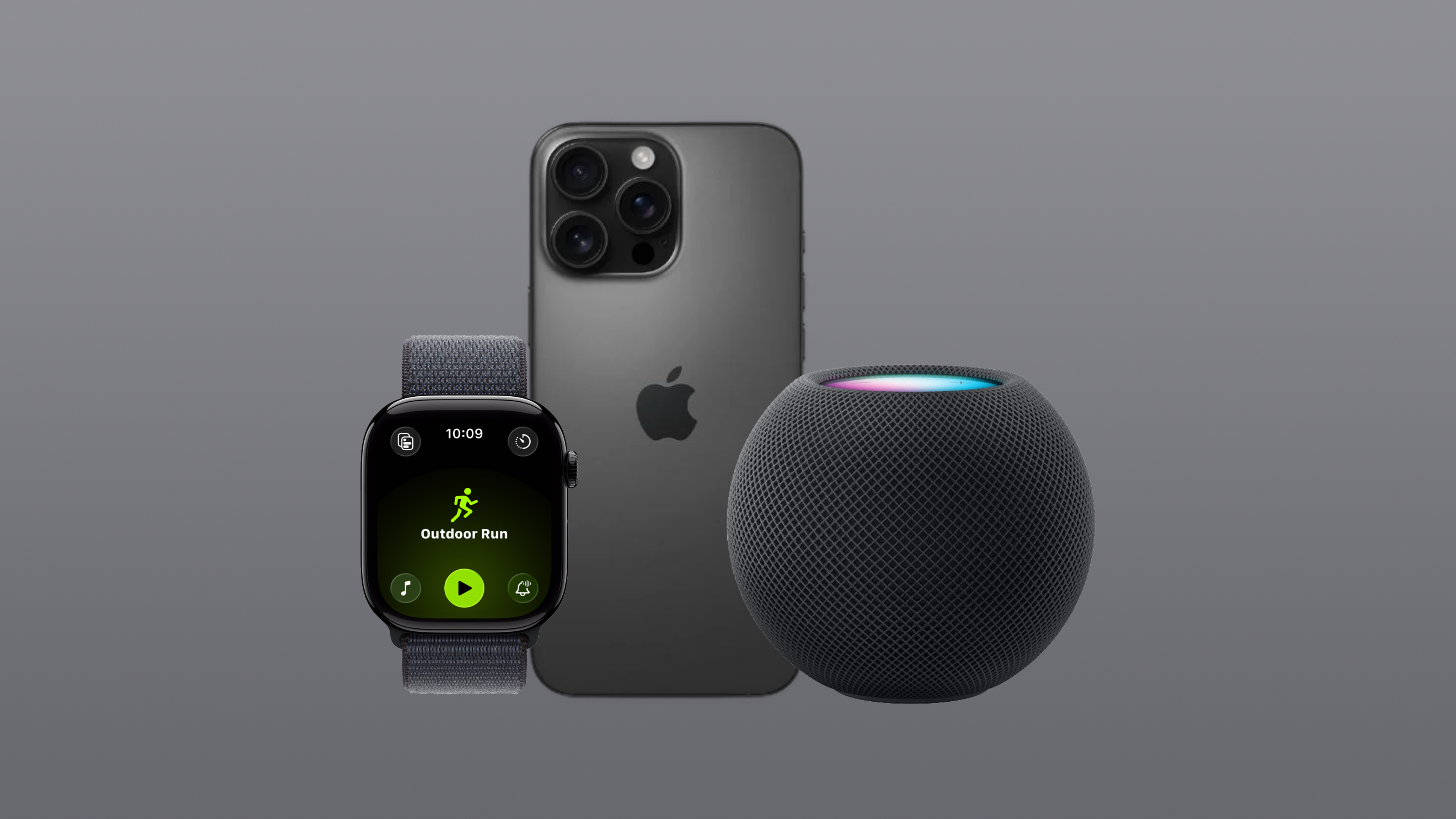
- iPhone 16 Pro (256GB)
- Apple Watch Series 10
- AirPods Pro 2 (USB-C)
- HomePod mini
- Mac mini (M4, 16GB RAM, 256GB SSD)
- MacBook Air (M4, 16GB RAM, 256GB SSD)
- iPad mini (A17 Pro, 128GB)
- Apple Studio Display (2026, tilt-adjustable stand, nano-texture glass)
- Magic Mouse, Magic Keyboard and Magic Trackpad
- Apple Pencil (USB-C)
- AirTags
These are the devices I use in my daily life, from university lectures and assignments, to developing and creating content for this website.
When everything works together
The benefit of owning all-Apple devices is that you have access to the features and capabilities of the Apple ecosystem. The ecosystem is where all your devices work together to provide seamless integration between devices and additional features you can only use when you have these devices together.
These features include Handoff, AirDrop, iCloud Photos, Universal Control and Automatic Switching on AirPods.
Handoff
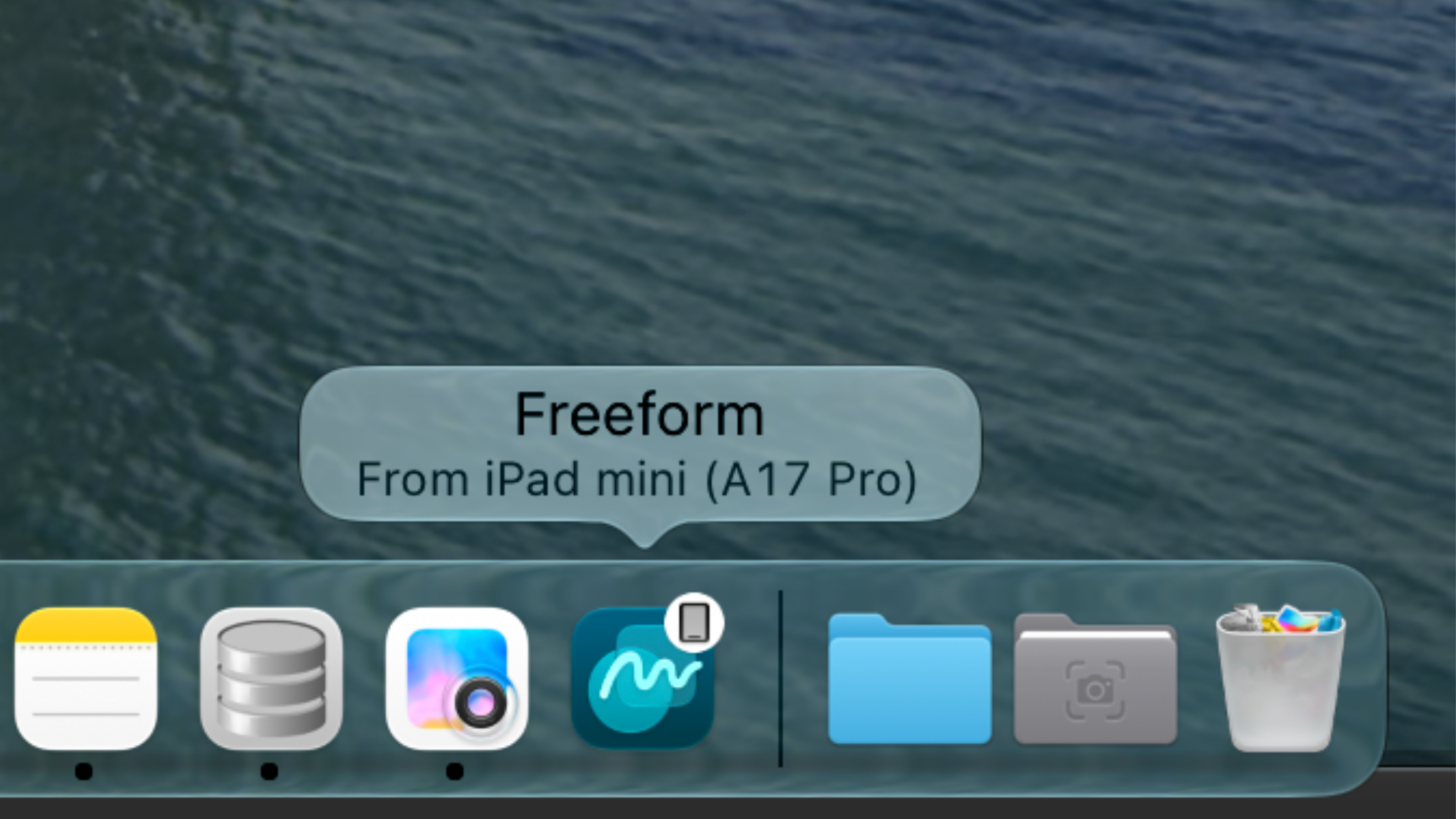
Handoff is a feature between my iPhone, iPad and Mac where I can have an app open on one device, and can seamlessly continue on a different device.
For example, I often use Freeform to sketch graphics for everything-apple.com on my Mac, and sometimes need the precise brush tools from the Apple Pencil. I can simply open my iPad mini, and open the Freeform app from the iPad dock which is labelled 'from your Mac mini'.
This tool is extremely useful, and it even updates in real time on my Mac as I use the Apple Pencil.
This extends beyond just Mac and iPad, working between iPhone, iPad, Mac and even Apple Watch.
- Continue a Pages document from iPhone to Mac if you want the dedicated keyboard
- Move from Messages on Apple Watch to iPhone
- Start browsing Safari on iPad and easily switch to your Mac
- Using Freeform on Mac, you can easily jump to iPad for the touchscreen tools
AirDrop
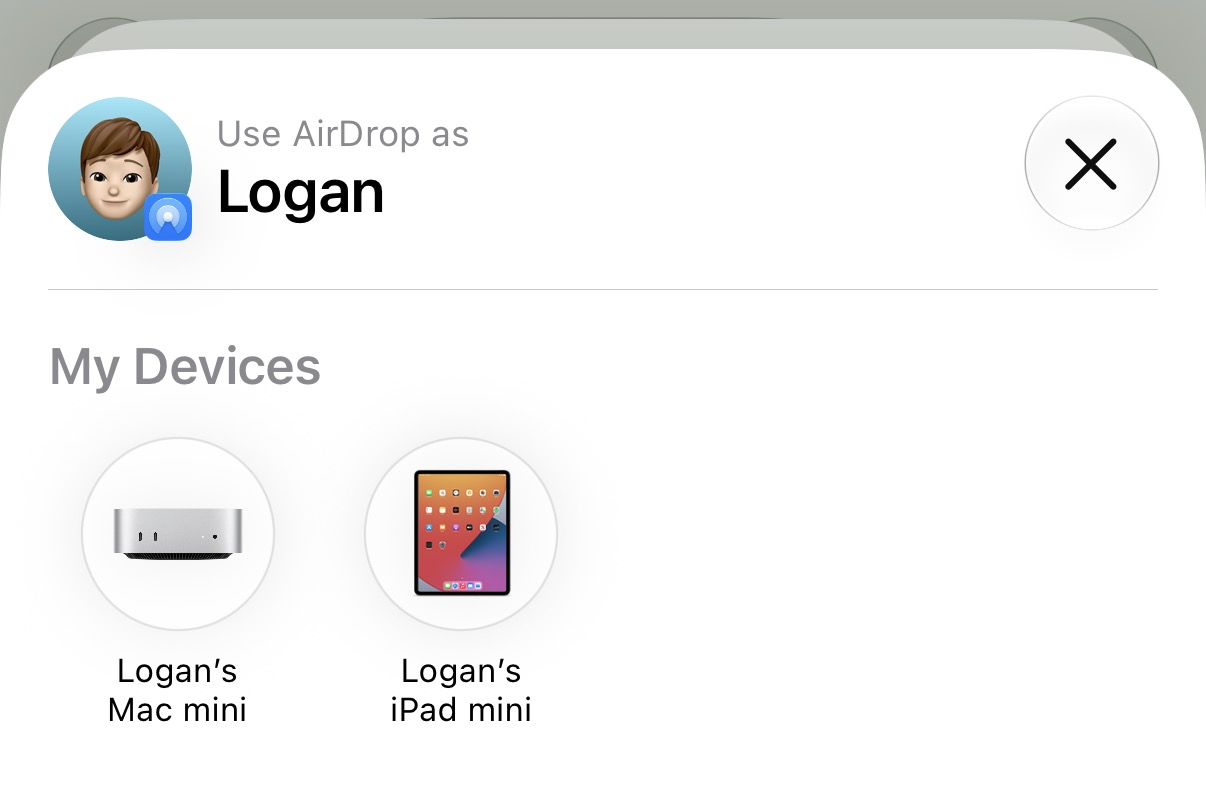
AirDrop is a quick and easy way to share photos, links and files between iPhone users. However, it is also a useful tool to AirDrop something to yourself on a different device.
I often take a photo on my iPhone, and want to use it as a file in Finder on my Mac. I could open it in the Photos app on Mac, but I find it easier to simply AirDrop the photo to my Mac so that it appears ready to use in the downloads section of Finder.
iOS 27 has also dramatically improved AirDrop reliability and speeds, so it now happens almost instantly.
iCloud Photos

However, if I don't want my photo in Finder and want to simply access it in the Photos app, iCloud photo syncing between devices will handle that.
If I take a photo of something quickly on my iPad, I'll be able to open the photos app on my MacBook, Mac mini, iPhone, iPad and even Apple Watch, to find that image waiting there for me.
This is great for instances where I want the accuracy of my mouse and keyboard to edit a photo I took on my iPhone, or want the faster AI model on my Mac to use Apple's new photo editing tools, which will take a little longer on my iPhone or iPad.
Universal Control
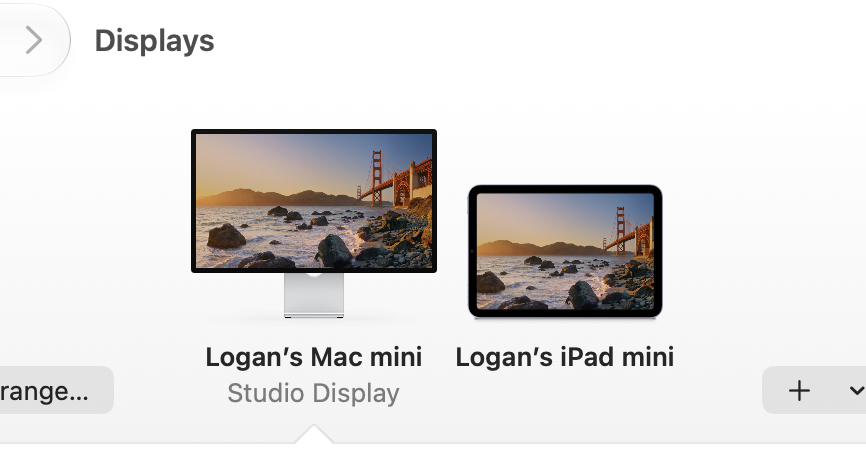
Universal Control is a feature that feels like magic, and still amazes me every time I use it.
I can sit at my desk using my Mac mini, and use my iPad folio to stand my iPad up to the side. When I then move my mouse to the side out of my Studio Display frame, the mouse will connect to the iPad and now I can control that device.
This is a great way to extend your workspace if you only have one monitor, or want to copy and paste some content from your iPad to your Mac.
Universal Control also works between multiple Macs, which is useful when I have something stored on my MacBook Air that's not in iCloud that I need to access on my Mac mini.
Automatic Switching on AirPods
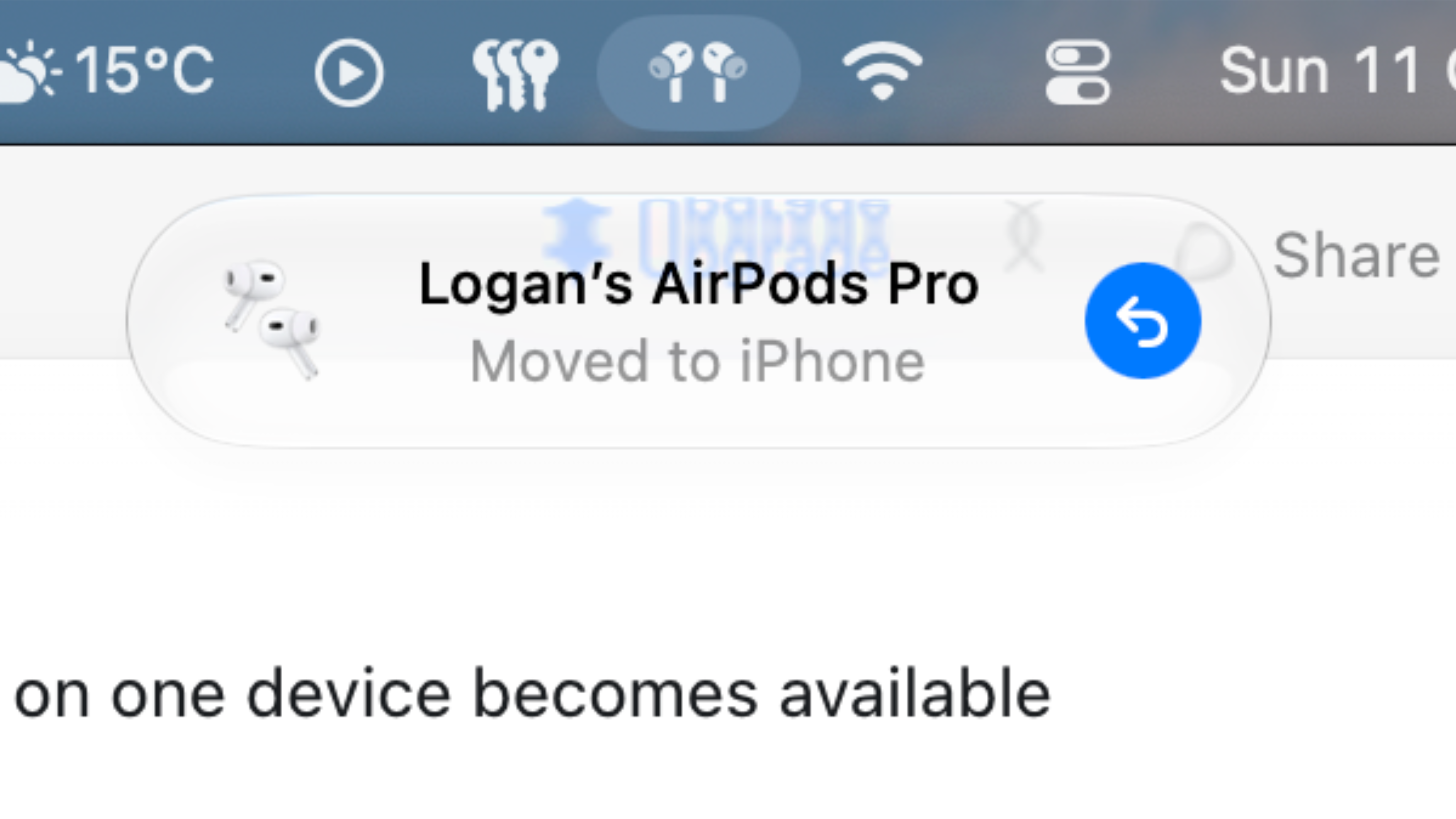
Automatic Switching on AirPods is something I use every day.
During the day, I'll work on my Mac mini with my AirPods in. Someone may send me a audio message or video and I'll pick up my iPhone to see what was sent.
When I press play on the iPhone, my AirPods are automatically connected so I can hear the audio from my iPhone, and then when I put my phone down to continue with my work on my Mac, I'll be automatically connected back to what I was just doing.
Of course, I could just view the message on my Mac, but I haven't broken the habit of picking up my iPhone when I receive a message.
Other benefits
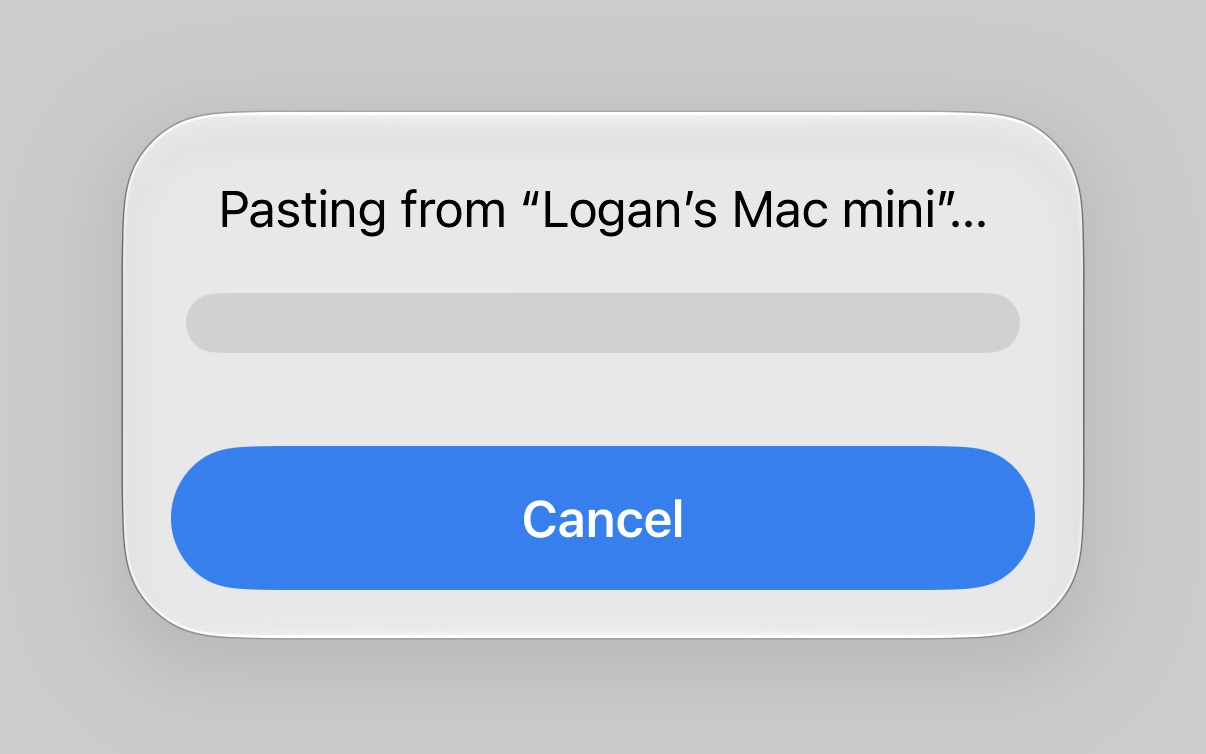
The Apple ecosystem offers many other benefits, including:
Universal Clipboard: Copy some text, a link or an image from one device and paste it to another.
iPhone Mirroring: I can open my iPhone directly on my Mac, and use the device virtually from my computer.
Live Activities: Live Activities such as workouts, timers or third-party services such as a food delivery tracker, will appear on your iPhone, Apple Watch and Mac at the same time so you can keep track no matter what device you're using.
Hand off audio from iPhone to HomePod: If you're listening to something on your iPhone, and arrive home, you can easily move your audio from the iPhone to HomePod by simply placing your phone next to your HomePod.
The expensive side of the Apple ecosystem
All of these ecosystem benefits do come at a price.
My current Apple ecosystem has cost me about £5,600, and that is with student discounts, retailer discounts and before Apple's price hikes in June 2026.
If I were to buy the same ecosystem today from Apple with no discounts and the newer variants of devices that have since been discontinued, it would cost me over £7,100.
It is worth noting that the newer MacBook Air has 512GB of storage, instead of my 256GB.
This highlights how expensive it can be to build your own Apple ecosystem, though Apple does offer entry-level products that I have mostly avoided.
If you were to make a basic ecosystem with the entry-level iPhone, iPad, MacBook, AirPods and Apple Watch it would set you back £2,165.
That's considerably more affordable than my setup, although it's still a significant amount of money..
The weak points of the ecosystem
Whilst I enjoy being in the Apple ecosystem and I am very unlikely to leave it, there are a few weak points which Apple could improve on. Some of these things, Apple has already improved since I bought my device.
Limited Storage
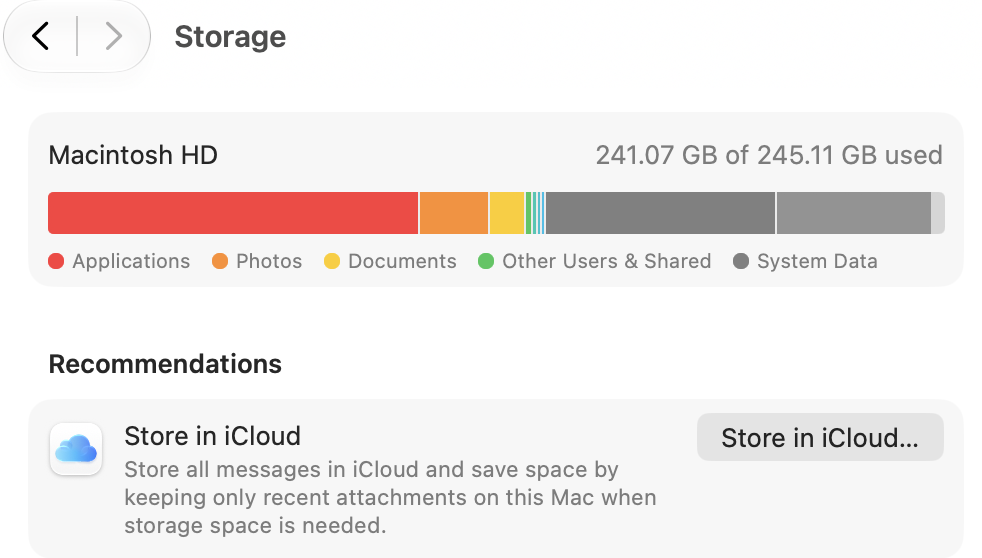
Apple is somewhat known for its low storage offerings, waiting until the absolute last minute to bump up its base model storage.
When I bought my iPhone 16 Pro in 2024, the entry configuration was available in 128GB of storage. This led me to spending an additional £100 for the 256GB model.
I was less proactive however, when buying both my Mac mini and MacBook Air. Both these devices have 256GB of storage which is just not enough for me after owning these devices for over a year.
Whilst my MacBook is just scraping by, I have run out of system memory and disk space multiple times on my Mac mini which is frustrating when in the middle of a development project. Additionally, I have had to free up space by deleting documents and removing apps to be able to download new macOS updates.
Apple has partially addressed these storage issues recently. From 2025, newer iPhones now start with 256GB storage and the new M5 MacBook Air starts from 512GB.
The problem has not been addressed on the Mac mini, which still starts with 256GB of storage, despite now costing £300 more.
iPad mini Display
Another weak point of the Apple ecosystem is the iPad mini's hardware.
The device has a disappointing 60Hz LCD display, which is not great when you use the device to watch TV shows that have many dark scenes.
I watch lots of Apple TV, specifically their Sci-Fi and Thriller series such as Dark Matter, Silo and Slow Horses. These shows have many dark scenes, that do not look great on the iPad, with a sort of blue/purple tint.
The viewing experience on my iPhone is much better, though that is less enjoyable due to the small screen size.
Software Bugs
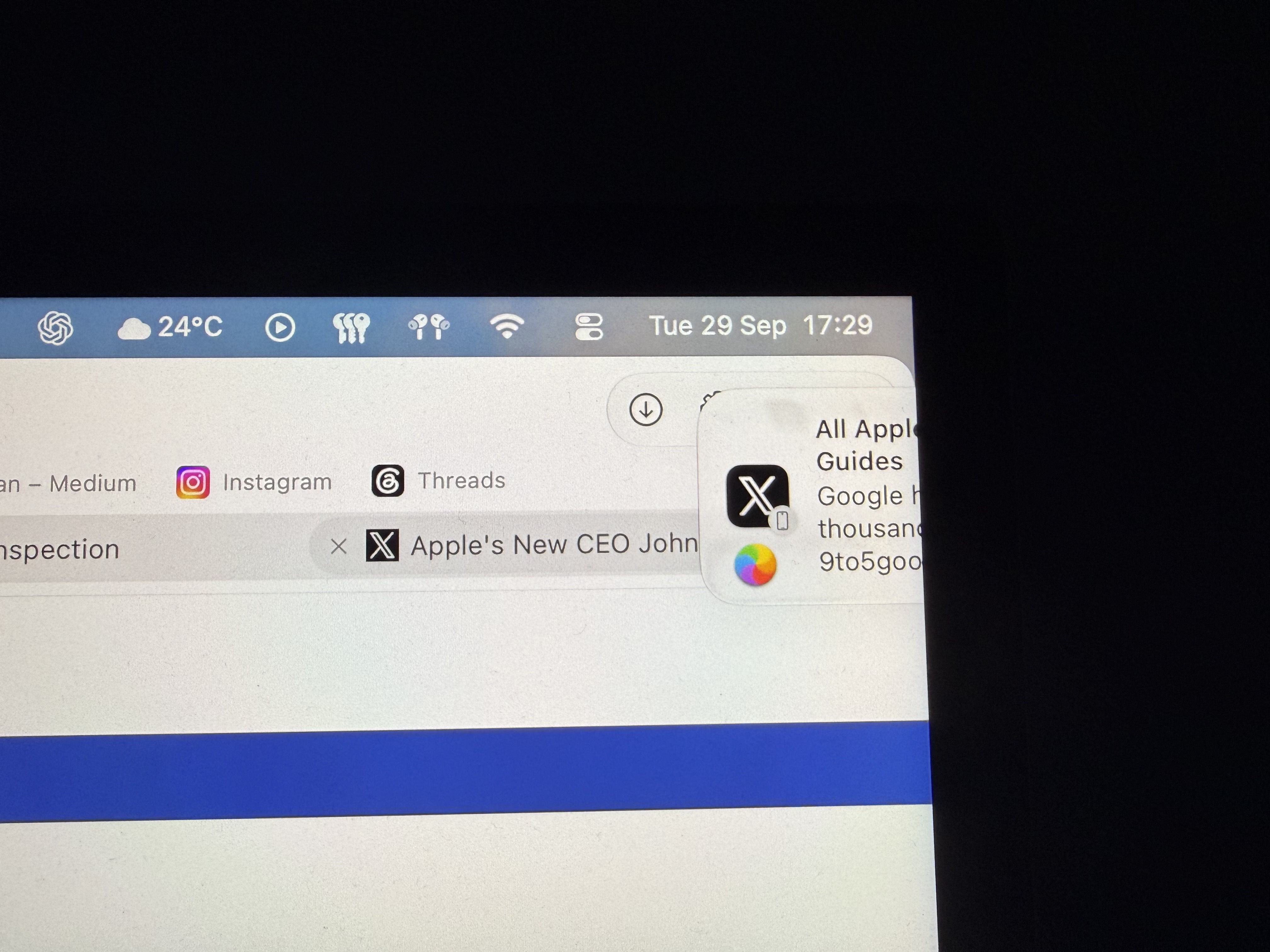
This has been a controversial topic about Apple software for the past couple of years now.
Apple's version 26 updates were some of the buggiest I have ever experienced across all platforms, until macOS 27 Golden Gate arrived, which takes the crown.
Apple had already promised performance improvements with version 27, which I have noticed. However, new problems have appeared such as Notification Centre crashing, a buggy Control Centre and Siri AI straight up ignoring you.
I wrote a dedicated piece on my buggy experience with macOS 27 Golden Gate so far, which you can read about here.
Magic Accessories don't have Automatic Switching
A smaller less problematic annoyance I have ran into is that Apple's Magic Accessories can only connect to one Mac at a time, and do not support the seamless Automatic Switching feature you can find on other Apple accessories such as AirPods.
Whilst admittedly most Mac users will only ever connect to the one Mac they have, I use both a Mac laptop and a Mac desktop.
Each device has slightly different content stored on it, and if I ever want to use my MacBook at my desk with my display and external peripherals, I can easily plug into the Studio Display.
I must then, however, plug in my trackpad, mouse and keyboard into the MacBook to connect them.
It would be much more convenient if these accessories supported some form of Automatic Switching, or could be connected to at least two devices at once as seen with some third-party offerings.
Does owning more Apple products make each one better?
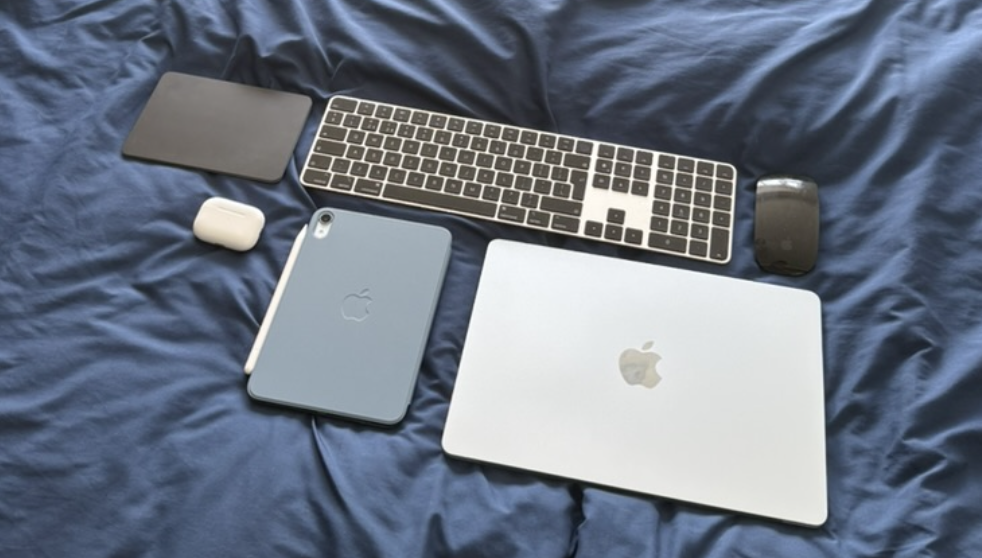
In my experience, yes. I found many additional benefits from owning all of these different Apple products, from the ease of Handoff to the simple convenience of the Apple Studio Display waking quickly from sleep.
I have also personally used a mix of products from different brands, such as an iPhone, Apple Watch and AirPods with a Windows PC.
This felt like two distinct ecosystems, with no connection.
Transferring photos from my iPhone to PC felt like a hassle, and it was an inconvenience to manually go to Bluetooth settings and connect my AirPods to the computer.
Whilst some of these issues could be down to Apple's lack of support for third-parties, I have had a drastically better experience since I got a Mac.
I've also used Sony Bluetooth headphones and Garmin watches before purchasing my AirPods and Apple Watch.
Connecting these accessories to my iPhone often involved manually selecting them or navigating through settings. With Apple's own products, much of that friction disappears. My AirPods can switch between my devices automatically, and I don't have to think about how everything connects.
This is one of the most valuable aspects of the Apple ecosystem: how all devices come together and work seamlessly without you, the user, thinking about it.
What I'd do differently if I started again
Despite my praise, there are some things I would do differently if I started my ecosystem over again.
These changes range from functional, such as more storage, to purely cosmetic decisions such as the colour I chose.
I'd choose different colours
I am very particular about the way my devices look, and put a lot of thought into the colour of the device I choose. This is probably the hardest decision for me when buying a new Apple product.
With that said, I do have some regrets with the colour of my iPhone, Apple Watch and HomePod mini.
These devices are all boring black or grey finishes, which I definitely wouldn't go for again.
I skipped out on the Natural Titanium iPhone and Apple Watch finishes for the most basic black finish, and had the choice of Orange, Yellow or Blue with my HomePod mini but stuck with Space Grey.
My more recent purchases, such as my MacBook Air and iPad mini I have opted for the flagship new colour of that generation, an approach I am going to take moving forward.
I'd get more storage
Whilst some of my colour choices are just boring, there is a change I'd like to make where I would immediately notice the improvements - storage.
My base model Mac mini is struggling, and I am now considering upgrading my desktop computer much earlier than I had initially planned.
If I could go back in time to buy my first Mac mini again, I'd definitely bump up the storage to 1TB, and boost the memory up a little bit too.
I'd think more carefully about purchase timing
This one is more difficult, as we can never truly know when a new Apple product is coming. However, you can 'read the room' and look at current rumours, leaks and Apple Store delivery dates to see if something new is coming.
I have made this mistake a couple of times, which has got me into a situation where I am stuck with just one Apple device with a Lightning connector, when everything else uses USB-C.
I bought my £199 Apple Magic Keyboard just months before a new model was released with USB-C. If only I had looked into leaks and rumours, I would have discovered a new model is potentially coming soon and could have held off a few more months.
Though, this is all in hindsight and you don't want to end up waiting forever for the perfect Apple product that never arrives.
Final Thoughts

After eight years of slowly building my Apple ecosystem, I am happy to say the ecosystem has made my life easier and much more enjoyable.
Whether I need to use AirDrop between my Mac and iPhone, or simply use AirPods Automatic Switching, an Apple-exclusive setup has made a noticeable difference.
Of course, the ecosystem isn't perfect. I have hit storage limitations, hardware compromises and software bugs, and have spent a lot of money in the process.
So, should you take the Apple-exclusive route?
In my opinion, it depends on your needs and budget. You don't need to spend thousands of pounds on Apple products to enjoy the benefits of the ecosystem. Starting with an iPhone and gradually adding other devices as you need them is a much more sensible approach than buying everything at once.
You should also think carefully about which products you actually need, and consider making upgrades or even downgrades where necessary - the MacBook Neo could make more sense for your use case over the MacBook Pro, even if it is the 'budget option'.
For me, though, the convenience of having everything work together outweighs the downsides. Despite the money I've spent and the frustrations I've encountered, I have no plans to leave Apple's ecosystem anytime soon.
Overall, the biggest benefit of everything you own being from Apple, is the seamless integration that helps you get things done with less friction.