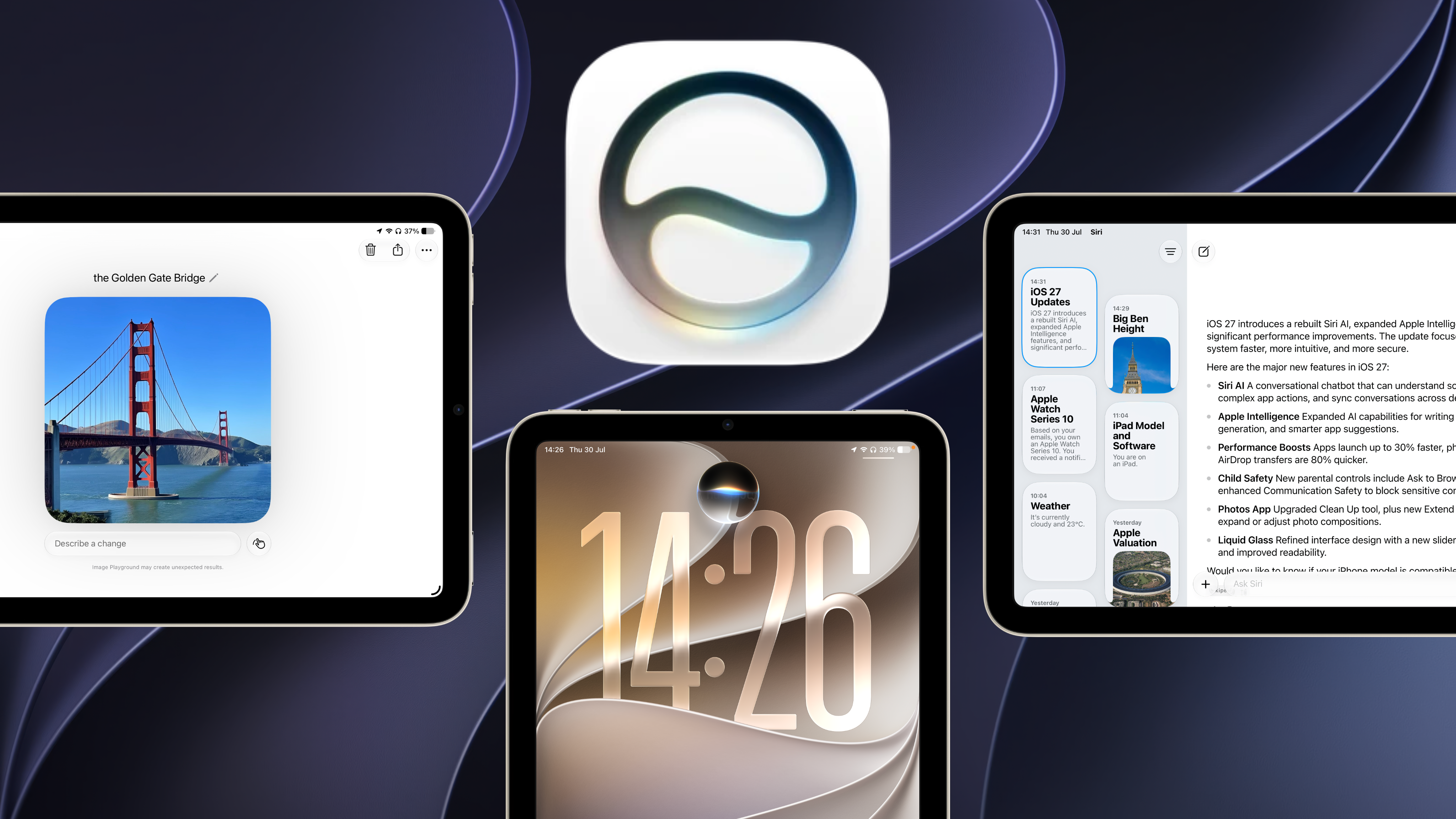
Apple launched the next-generation version of Siri, Siri AI, at WWDC26 in June. Whilst it was initially only available to developers, I have been using the public beta since its release 2 weeks ago. The assistant is a big step up from last year, with the addition of on-screen awareness and personal context that I genuinely miss when returning to my OS 26 devices.
Though, it's not all good news. Siri still has many bugs and quirks that need polishing out before release later this year.
Note: Keep in mind that this is a review of beta software, so the bugs and errors encountered are expected and will likely be patched before the full public release.
New Design
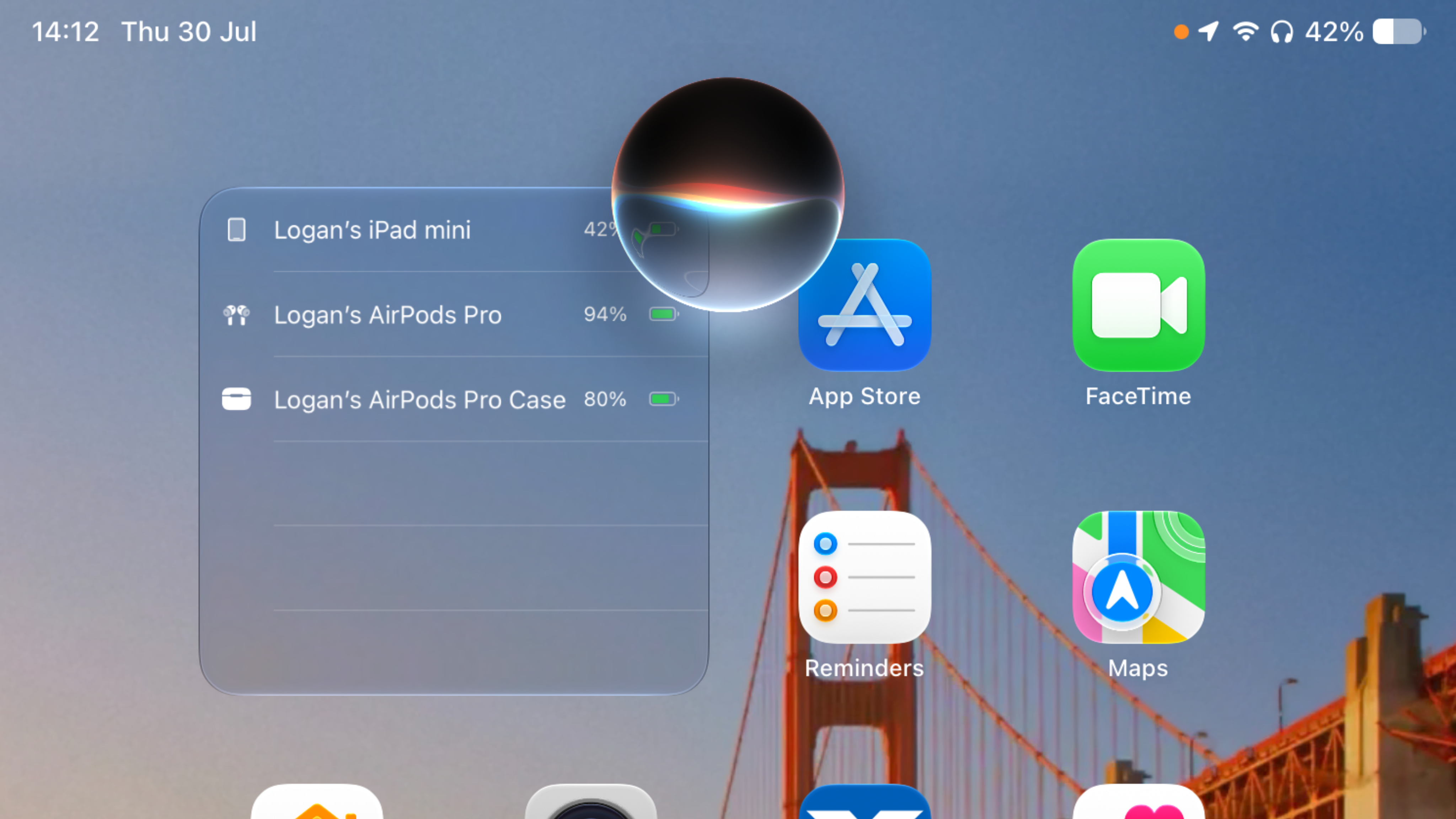
Apple has done away with its rainbow Siri glow and Apple Intelligence branding with more muted tones that closer resembles the original version of the assistant. Siri is now a black circular orb that slowly transforms to clear glass at the bottom. This look has helped Apple integrate Siri into the iPhone's Dynamic Island, though I have been testing on the iPad mini, so Siri just floats near the top of the screen.
Type to Siri has been moved from double tapping the bottom of the screen to swiping down from the top or centre of the screen, which used to activate Spotlight Search. In fact, this gesture does still activate spotlight, which is now integrated directly with type to Siri. You use the same search bar to search for Apps, open websites in Safari and talk to Siri.
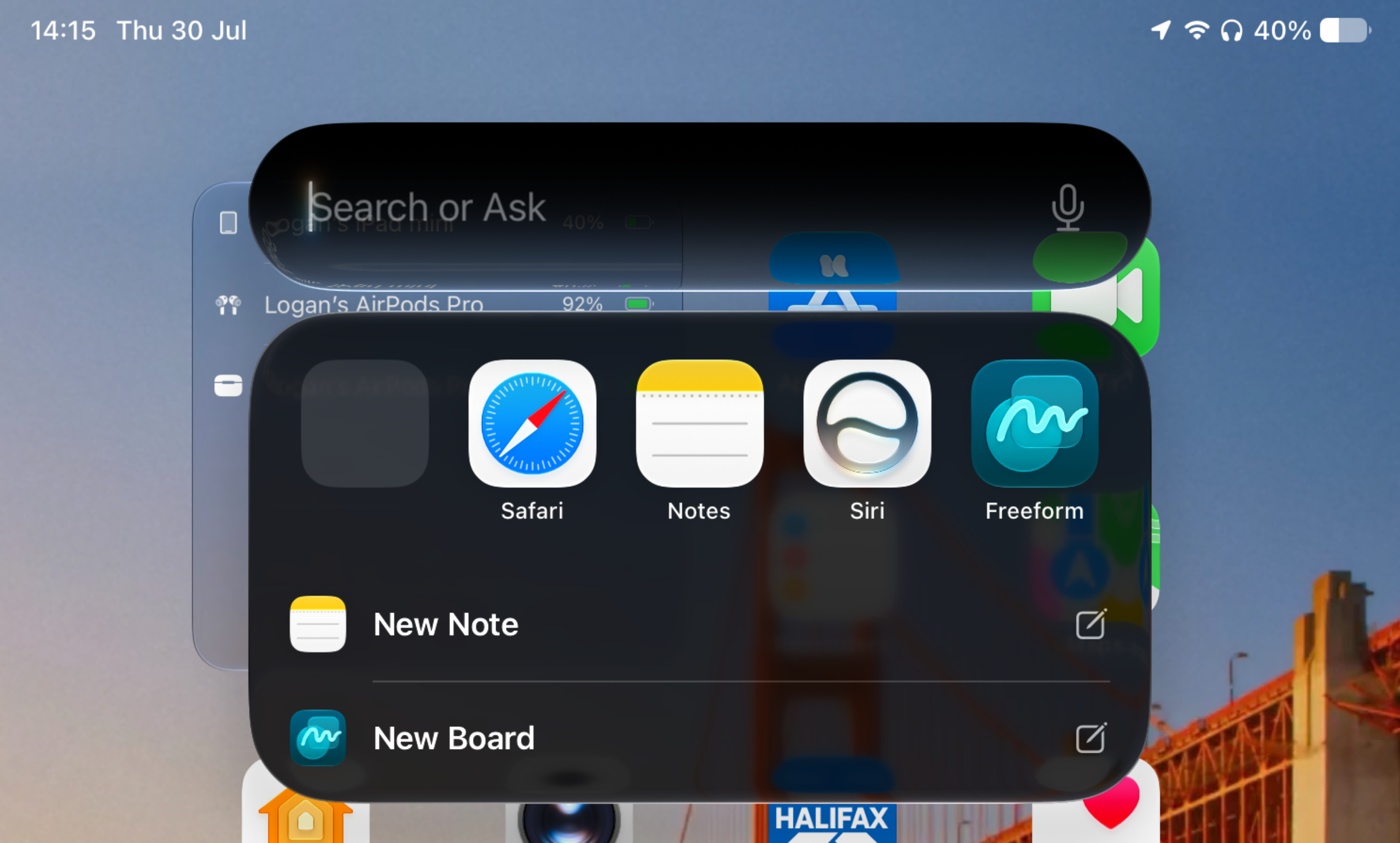
Apple has also introduced a new dedicated Siri App, which syncs conversations over iCloud and works similar to any other chatbot app, but is less conversational and provides shorter responses rather than deeper research.
The dedicated Image Playground app has also been refreshed with yet another app icon, a new app design and more powerful image generation tools. Siri will use Image Playground if you ask it to generate an image for you.
Initial Impressions
Upon updating, I approached the new Siri with skepticism after being promised the new version two years ago, at WWDC24.
However, I was pleasantly surprised that Siri could directly tell me what I had planned for the day ahead, where the shared house keys had been placed using previous messages, and how much my Microsoft Azure bill was, based on emails I had received.
Overall, the new design was intuitive and easy to use, though I was concerned that Apple may have downgraded Spotlight search by combining it with Siri.
What I Like About Siri AI
My earlier concern that Spotlight Search may be worsened by Siri's integration has been proven otherwise. Siri knows when you're trying to talk to it, and when you're simply using spotlight as a search bar to find something.
For example, typing 'weather', will show the weather app for you to open. Searching 'What's the weather?', Siri will respond with a small widget of the weather in your current location.
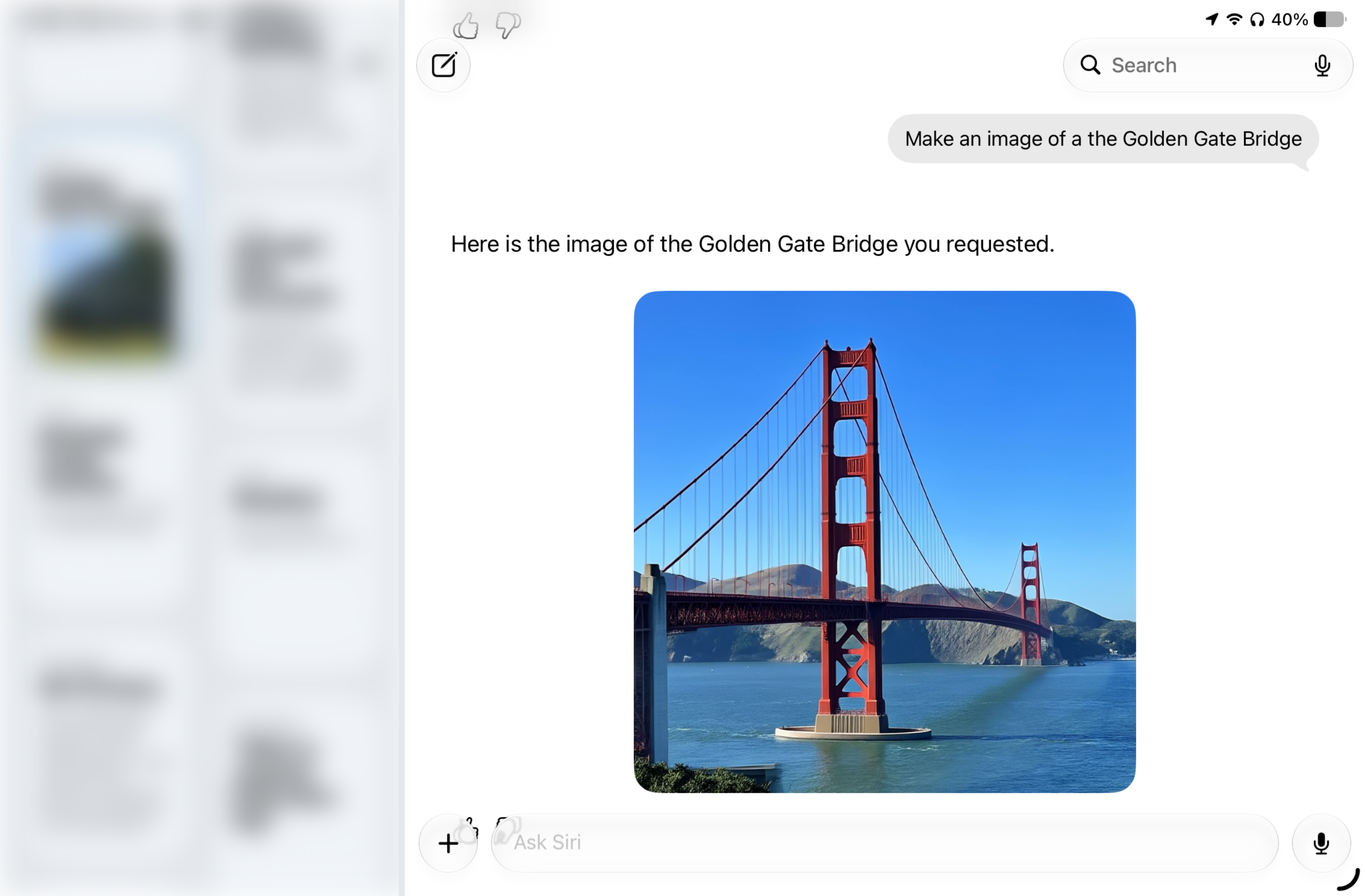
Siri is also really fast at image generation, taking just 11 seconds to generate an image of the Golden Gate Bridge. (Though Google Gemini on the same device took 8 seconds.)
On-screen awareness is another major strength of Siri AI, where I can ask questions about the content on my screen, with no further prompts of what I'm looking at. I have used Siri to ask questions when watching Youtube, such as 'What Game are they playing', 'Where are they staying' and 'Translate that sign'.
When you're deeply immersed in the Apple ecosystem like I am, Siri is extremely powerful.
Last month I took a photo of a steam-powered vehicle that passed my house. I couldn't remember when I took the photo, so I asked Siri to find it for me.
I did encounter a bug where the photo didn't appear in the results, despite Siri's response: 'Here is the photo of the steam powered car going down the street'.
However, it did have a fallback to provide me with the date and location of the photo, and open the photos app.
I have also preferred the less conversational responses from Siri AI, where it is not always trying to act like a friend and knows its place as a virtual assistant. When I asked Siri, 'Will you be my friend?', Siri's response was:
"I think a real person would be a much better choice for a friend. There are lots of things a human friend can do for you that I can't."
This is a different approach to other chatbots, like ChatGPT, which told me:
"I'd be happy to be a friendly presence for you... I'm not a friend in the same way as a person in your life is.... What kind of friend are you looking for right now:"
So whilst ChatGPT did confirm that it can't be a friend like a real person can, it went on to ask what kind of friend I was looking for and provided me with options such as someone to chat with, someone to help me, or someone thats just for a bit of company.
Siri immediately rejects the request and looks to move on.
Where Siri Still Needs Improvement
Third-party App Integration
During testing, I was unable to get Siri to work with third-party apps. This could be due to a limitation of the beta period, where these apps have not yet integrated with the updated assistant.
Siri could not pull any information from the family WhatsApp group chat, so it was unable to tell me anything about upcoming plans we had. It also told me I had no WhatsApp notifications, when I had three.
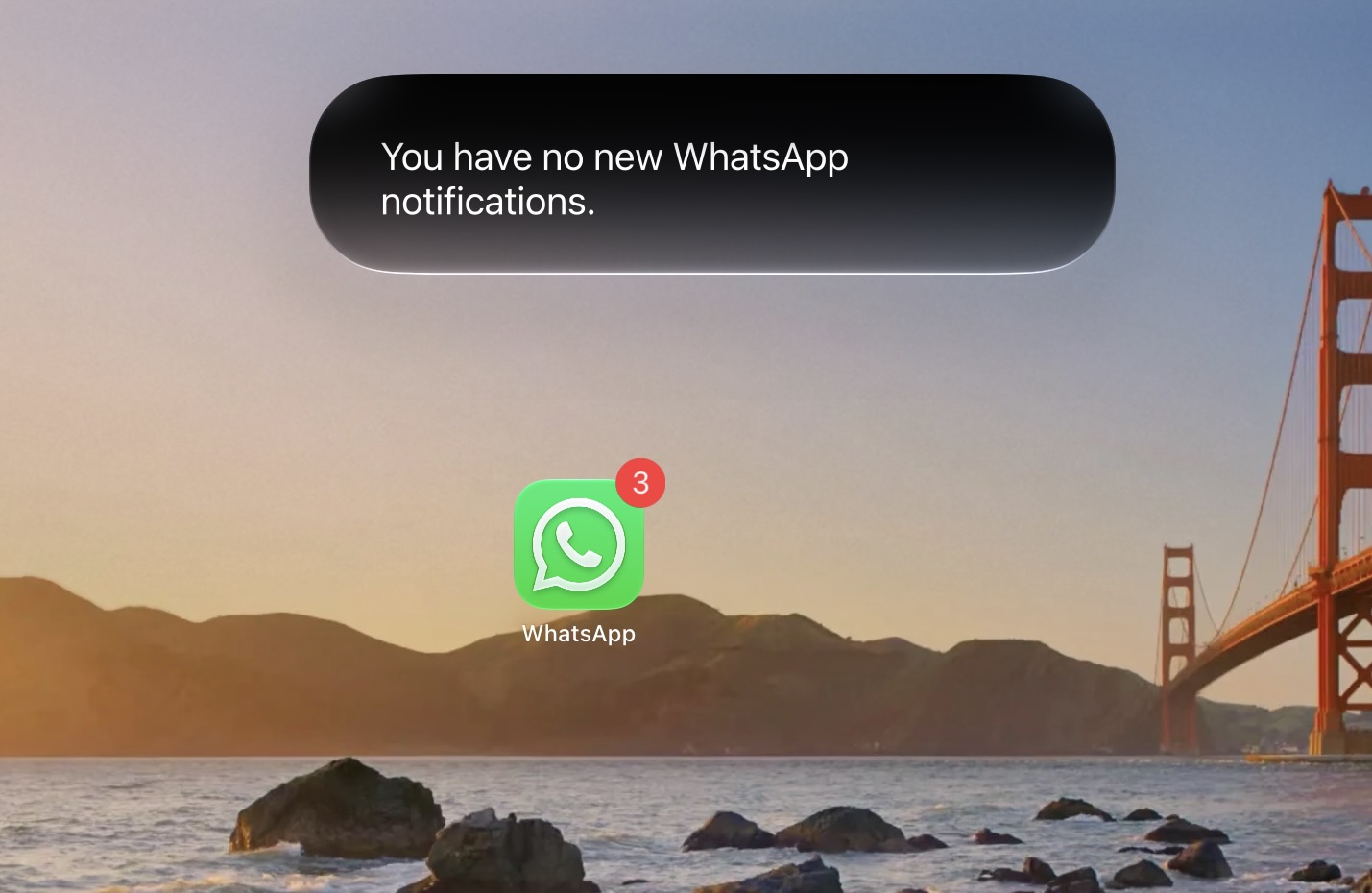
This extends beyond WhatsApp, with Siri failing to identify that I also had notifications from YouTube and first-party apps, such as Wallet.
Device Knowledge Issues
Despite Siri's deep integration with my Apple products, it could not tell the model of iPad I was using. Siri can tell me that I am on an iPad, but responds with its classic 'Sorry, I don't understand' when asking which model. The correct response would have been iPad mini (A17 Pro).
It also could not tell me what other Apple devices I own, but this could be down to the fact that all my other products are still running OS 26. At one point, when I asked 'what apple devices do I own?', Siri opened the Home app.
Siri could only correctly answer 'What Apple Watch do I own', because it found the Amazon order in mail. This is despite all my devices appearing in the settings app, on my Apple Account, and in Find My.
On-screen Awareness Limitations
On-screen awareness was useless in Apple TV, because of Digital Rights Management (DRM) which blacks-out screenshots. DRM applies to Siri, which told me it only saw a black screen.
Other issues with on-screen awareness that I ran into includes the translate feature. Earlier I mentioned the strengths of this feature when watching YouTube, where I asked it to translate a sign. Whilst it did do the translation, my initial prompt seemed to return Siri's backend workings-out that I was not supposed to see.
Reliability Issues
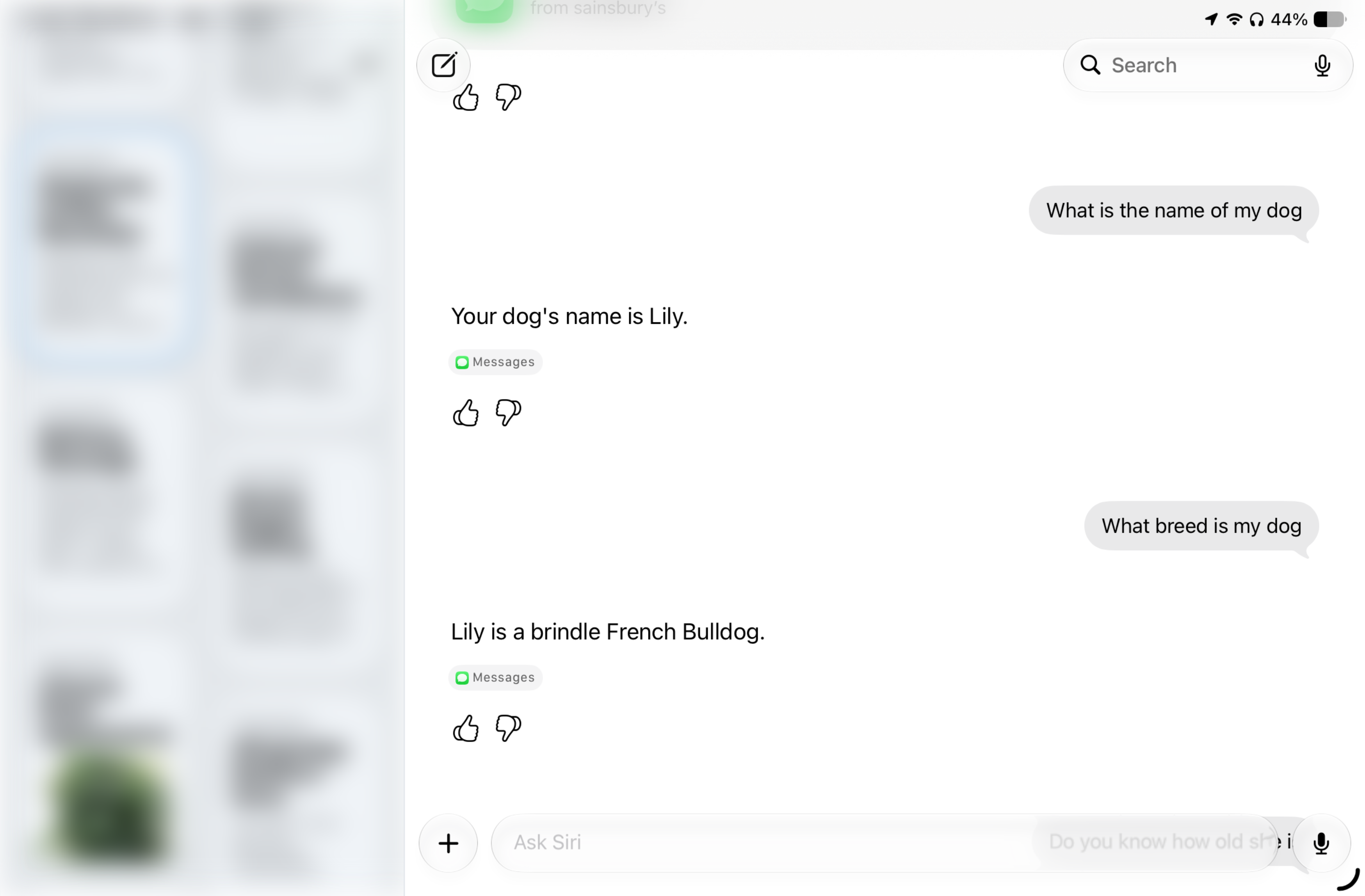
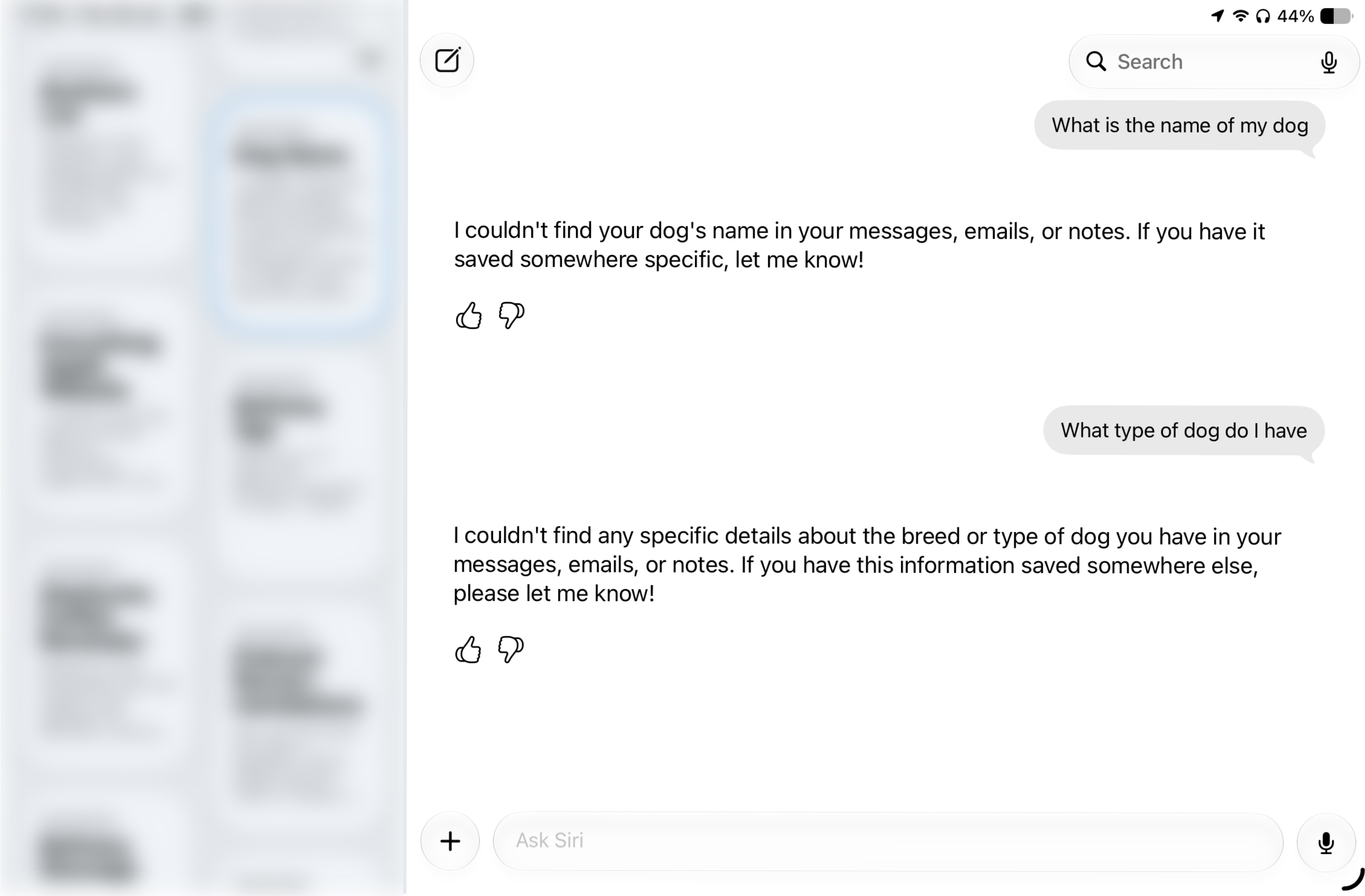
Siri AI is not entirely reliable. I asked Siri for the name and breed of my dog, which it answered correctly, and even went a further-step to tell me her fur colour. I then opened a new chat and asked the same question again, in which Siri responded that it doesn't know anything about my dog.
I also noticed that during longer conversations, multiple messages in, Siri will provide a response then disappear without being dismissed. This has occurred multiple times where I had to reactivate Siri again and tap on the recent conversation to continue.
Final Thoughts
Siri AI is clearly still in its beta period. There are many bugs that need ironing out, but the future of Siri and Apple Intelligence seems promising for the first time ever.
This feels like Apple's redemption in the AI space, and is the long-awaited change users needed to see. The company has seemingly managed to turn one of it's biggest weaknesses into a strength, with Siri potentially becoming a compelling selling-point of Apple devices.
There is still a long way to go, but I keep finding myself trying to activate the new Siri on my iPhone and Mac, despite those still running iOS 26 and macOS Tahoe, so Apple is clearly heading in the right direction.