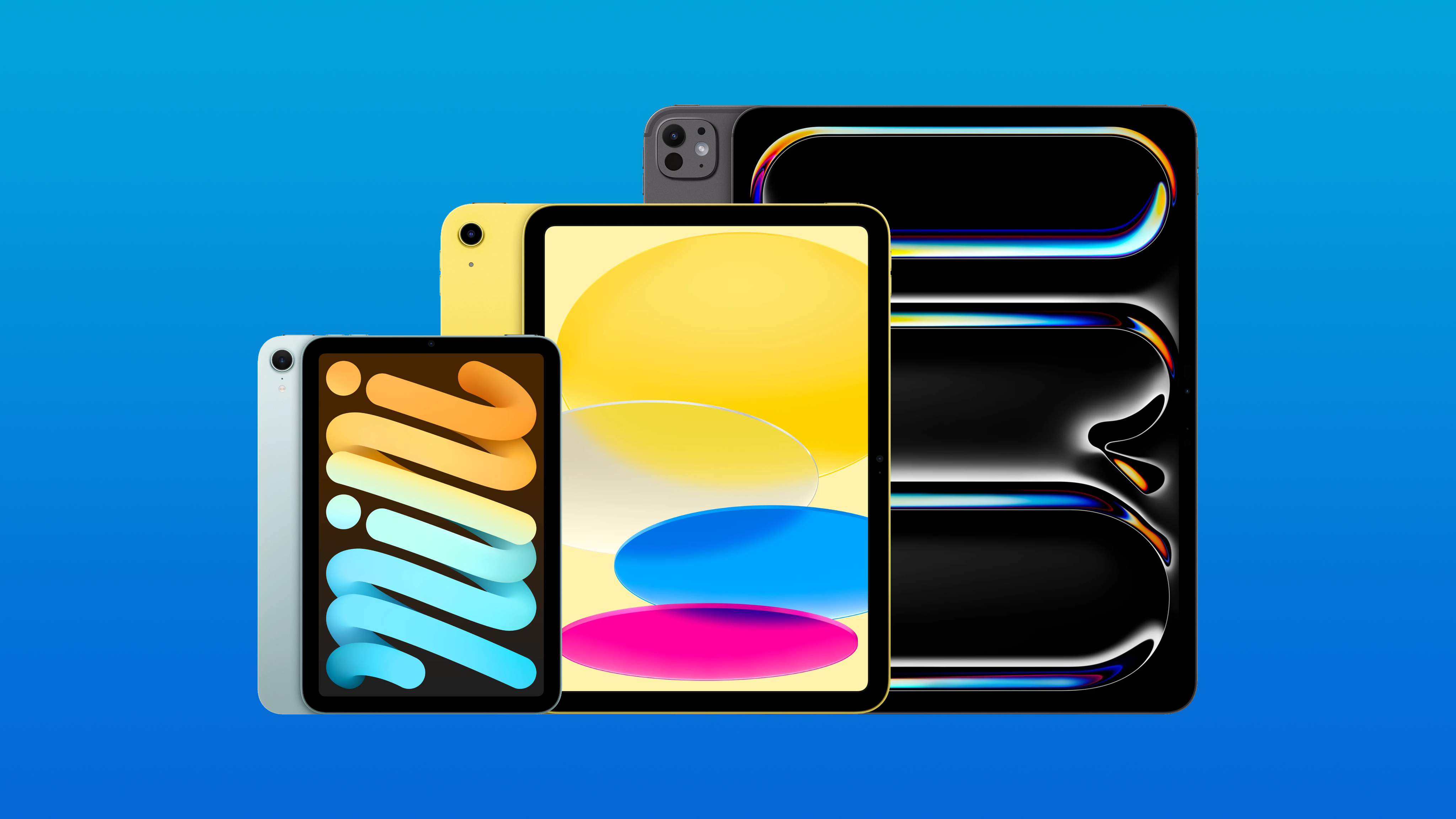
Apple sells four distinct iPad models, each designed for a different type of user and offering different capabilities depending on your needs. Here's a breakdown of every iPad Apple sells, so you can find the right one for you.
Base-model iPad
The base-model iPad is likely one of Apple's most popular iPad models because it is a simple general-purpose tablet that comes in an expansive yet not too big 11-inch screen size.
iPad features an all-screen design with an aluminium frame available in a range of bright colours including pink, yellow and blue. You can also get a neutral silver iPad if you don't want the colours.
The weakest point of the iPad is its display, which has a non-laminated screen which creates a small air-gap between the top glass and the display itself. Most may not notice the difference, but it can create a less premium feel when tapping the display or using an Apple Pencil.
Speaking of Apple Pencils, this iPad is not compatible with the premium Apple Pencil Pro stylus that has additional features including barrel roll, haptic feedback and Find My.
Who should buy iPad?
Those looking for a simple tablet to browse the web, play Apple Arcade or watch content on YouTube, Netflix or Apple TV will be perfectly fine with this device.
Artists or those who use more performance-heavy apps, like more graphically intensive games, should avoid this model.
iPad mini
iPad mini is Apple's smallest iPad model that you can just-about hold in one hand.
mini has a more capable chip compared to the base-model iPad, and can be pushed further when gaming or in on-device AI.
This iPad is great to use as a content consumption machine if you don't want to use a larger, heavier device but still want more screen space than your phone.
iPad mini comes in much less saturated colours than the base model iPad, available in blue, purple, starlight or space grey.
This iPad has a laminated display and a slightly better screen, with support for Apple Pencil Pro.
Who should buy iPad mini?
iPad mini is a good choice for those who like to travel with an iPad or those looking for a Kindle replacement or eReader.
It's also great for note-taking and media consumption, as it’s smaller and lighter than any other model.
However, if you want to use a keyboard with your iPad, avoid the mini. iPad mini does not have any first-party keyboard folios, though if you really want the iPad mini you could find a third-party keyboard.
iPad Air
iPad Air is best-described as a mix between the base model iPad and iPad mini, with a desktop-class chip.
This model is essentially the same form-factor as the base model iPad, with a slightly thinner chassis and display bezels, that uses a similar laminated display to the iPad mini.
This provides the large-screen iPad experience, without compromising on performance or accessory support.
Apple Pencil Pro works with the iPad Air, and the company sells first-party Magic Keyboard Folios for iPad Air. Additionally, with an M-series chip that is found in the Mac, the iPad Air is extremely capable whether you're gaming, note-taking, consuming content or browsing the web.
iPad Air is available in the same colours as iPad mini, and is available in either 11-inches or 13-inches.
Who should buy iPad Air?
iPad Air is the iPad for users who are considering using their iPad as a laptop replacement, with the Magic Keyboard support and desktop-class chip. Artists should also consider this model over the base iPad, with Apple Pencil Pro Support and an improved display that will help with stylus accuracy and provide a more colour-accurate display.
Though, if you work with graphics or use your iPad for video editing, consider iPad Pro.
iPad Pro
iPad Pro is the ultimate iPad, available in either 11-inches or 13-inches, with a Tandem OLED display and 120Hz refresh rate. This model also uses an M-series chipset, just like the iPad Air, though the chip is one generation ahead.
iPad Pro has one of the best displays found on any Apple product, and the 13-inch model is the thinnest Apple product ever.
iPad Pro is available in Space Black or Silver and is compatible with Apple Pencil Pro.
Who should buy iPad Pro?
With the tandem OLED display, graphic designers and video editors should consider this iPad model first. The display quality is significantly ahead of every other iPad model and will be a noticeable improvement.
Additionally, anyone who wants the best viewing experience when watching YouTube, films or TV shows should consider iPad Pro.
If you plan to use your iPad for just web browsing, answering emails or light work, iPad Air is more fit for that purpose and you can save a significant amount of money.
To Summarise
- Browsing the web / media consumption / emails: iPad
- Reading / portability / handheld gaming: iPad mini
- Laptop replacement / artists / gaming: iPad Air
- Video editing / graphic design / best-quality screen: iPad Pro
You can find out more about the current iPad lineup by using the Everything Apple iPad Guide.