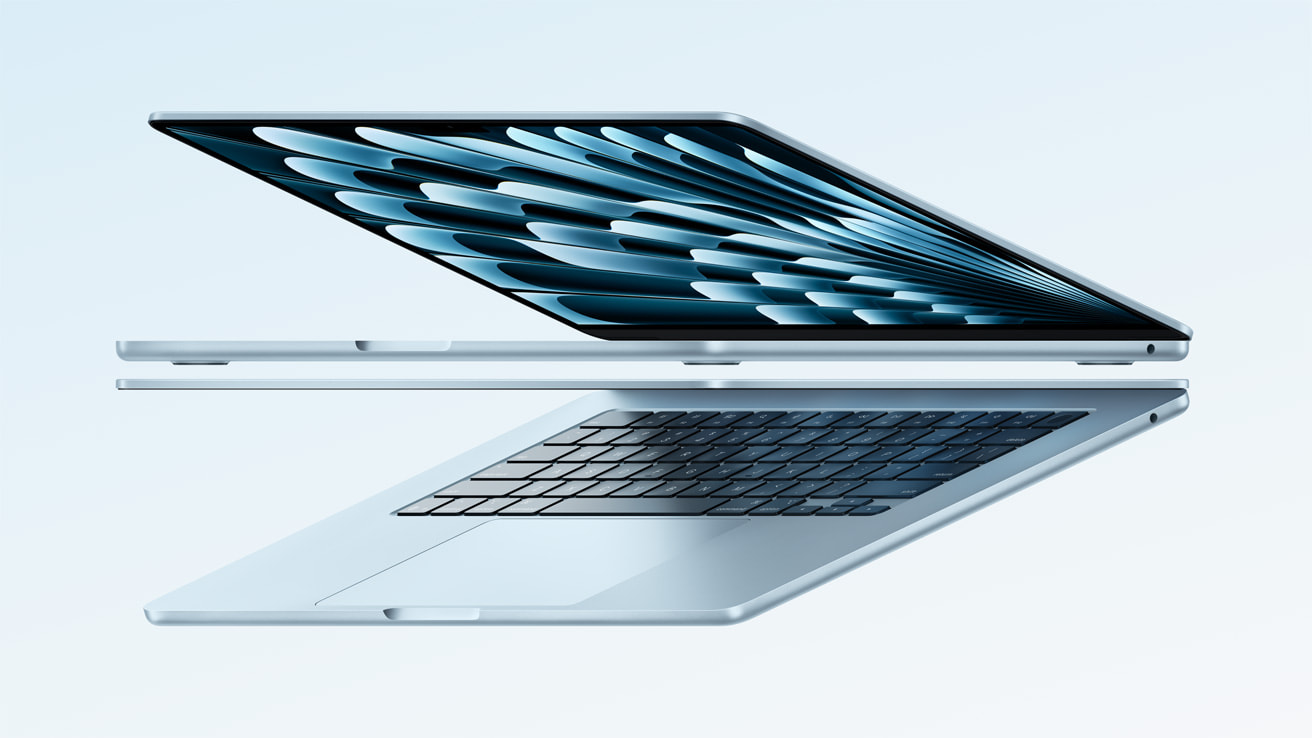
Apple's fourth-generation Apple Silicon MacBook Air released last year, in March 2025. The device featured the same slim aluminium design, same display and same base specs as its M3 predecessor. Though, the new device featured the latest M4 chip, a brand new colour and improved external display support.
So, how has the M4 MacBook Air held up over the past year, and should you go for the M4 over the latest M5?
Price
I bought the device last August for £799 on Amazon. This price included a £50 Amazon Prime student offer that I redeemed. Without the discount, the M4 MacBook Air retailed for £999, or £899 on Apple's education store.
For that price, you received the latest MacBook Air with 16GB of unified memory, a 256GB SSD and a 10-core CPU, 8-core GPU.
This was a good deal, with current MacBook Air buyers having to splash out an extra £300, though they do receive a 512GB SSD. However, the 512GB model was cheaper last year.
Performance
The M4 MacBook Air is more than capable, breezing through not only your average office work in Microsoft Word & Excel, but also code compilers, virtual machines and gaming.
When I needed to use Visual Studio, an integrated development environment (IDE) to build applications, I had to install a virtual machine as it was not available on macOS.
I downloaded Parallels desktop, and was able to run a virtual version of Windows 11 from my MacBook Air, and develop simple applications from Visual Studio. As this was for a university course, they were not full production-scale professional applications.
After a year of ownership, I have no complaints about performance, with the M4 MacBook Air likely one of the most powerful computers I've ever owned.
Storage
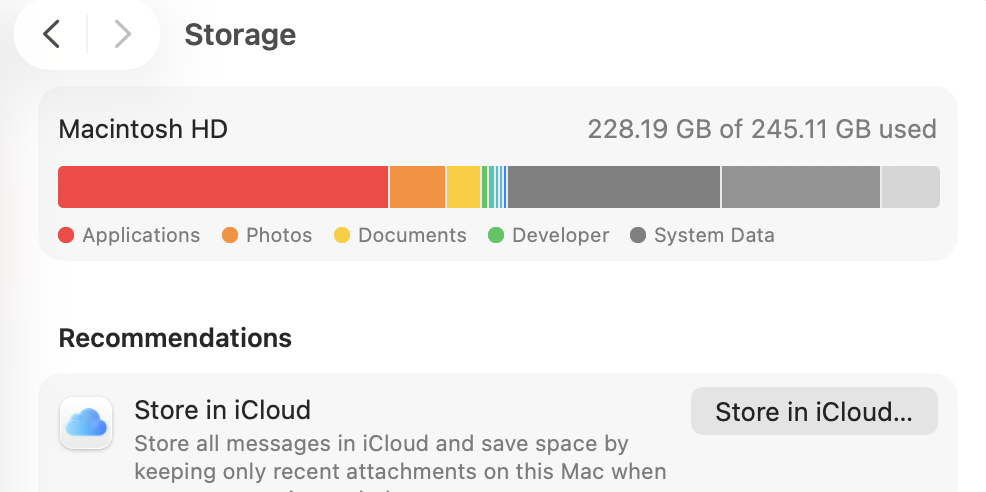
A year in with the base model 256GB SSD version, I have had to carefully manage my files and applications.
I have been unable to install a couple updates recently, as I was out of storage, and had to delete some of my larger documents and applications to continue.
This has been one of my only pain points with this device, and have considered upgrading the MacBook just for more storage.
Apple has fixed this, by doubling the base storage of the next generation M5 model - though this comes at a price.
For users looking to buy a MacBook, that you would expect to hold onto for many years, definitely upgrade your storage, as I cannot see myself sticking with the 256GB SSD much longer.
Display
For a productivity and work laptop, the liquid retina LCD 60Hz display is perfectly fine. As someone who personally uses a ProMotion OLED iPhone display, moving over to the Mac does not feel like a downgrade.
When interacting with keyboard and trackpad, instead of touch, the lack of ProMotion is not noticeable. It is a different story, when I move from my iPhone to my iPad mini, which has a 60Hz display.
At 500 nits of brightness, it is not an ideal laptop to use outdoors. When working outside, I have found myself to move back indoors, or only use the MacBook outdoors during the evening, when the bright sunlight has gone.
The lack of a nano-texture display option is also a disappointment, as a brighter display and nano-texture finish could solve these issues - though these are the unique selling point (USP) of the MacBook Pro.
Design
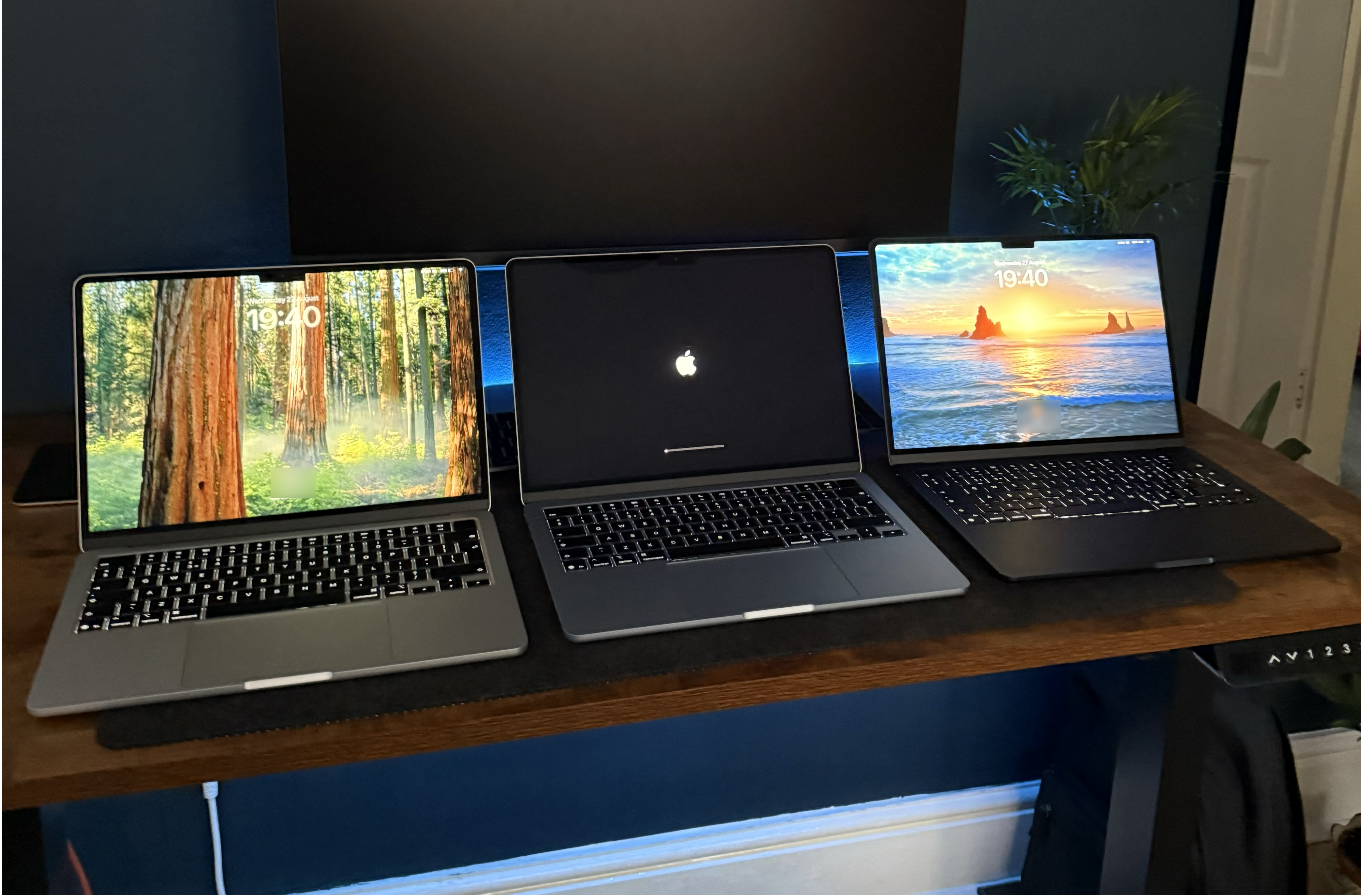
Image: (L-R) Silver M4 MacBook Air, Sky Blue M4 MacBook Air, Midnight M2 MacBook Air
The M4 MacBook Air features the same industrial design that was introduced to the M2 MacBook Air in 2022. The design has also remained the same in the latest M5 model.
The laptop is just 1.13cm thick, making it an ideal computer to travel with, as it can slip into a backpack.
Ports
Some users may find the port selection a little limited. The M4 MacBook Air has a headphone jack, MagSafe 3 port for charging and two USB-C Thunderbolt 4 ports that supports up to 40Gb/s. As someone who only uses the USB-C ports to charge my iPhone, plug into an external monitor and has never used the headphone jack, the ports are no problem.
Depending on your setup, you may run into issues when plugging the device in, as all ports to charge and connect the device are on the left.
Keyboard
The keyboard is the same Magic Keyboard found on any other Mac, with a backlit keyboard, full-sized function keys and Touch ID sensor.
Apple has reportedly introduced a new key cap coating, to help prevent the wear that reveals a shiny, almost greasy look to the keyboard. Compared to my previous M2 model & standalone Magic Keyboard, it has held up much better than before.
Other keyboard changes are purely cosmetic, including a redesigned mute key icon and repositioning of some icons from the left to right.
Colours
Apple introduced an all-new Sky Blue finish with the M4 generation, replacing Space Grey. This joined Silver, Midnight and Starlight, which have been part of the lineup since the M2 generation.
Of course, as the flagship colour, I had to get Sky Blue.
This colour can be very subtle, looking almost Silver in some lighting, but it does show hints of blue. I took a photo of the MacBook besides my blue iPad mini, on a blue background. Both devices look like they could be silver or grey, with the blue finish of the iPad much more saturated.

Image: Sky Blue MacBook Air VS Blue iPad mini (A17 Pro)
As someone who previously owned the M2 Midnight MacBook Air, infamous for its fingerprints, I would personally avoid the Midnight finish. After a couple years of ownership, the laptop always looked dirty, and scuffs and scratches around the corners, ports and trackpad surface were beginning to show.
A lighter finish will keep the device looking fresh for longer.
Battery
For light tasks, the battery will last you all-day. Though as I have often used virtual machines and development software on this device, I did always bring my charger with me, mostly for peace of mind.
Potentially because I have pushed the device to its limits, my battery health has not held up as well as my previous MacBook.
The device has only gone through 119 battery cycles since last August, but is at 97% battery health. It is important to note that the cycle count is lower than you may expect after a year, because I use my Mac mini as my main machine.
As always with batteries, they are unpredictable and your mileage may vary depending on use case.
Should You Buy The M4 MacBook Air?
if you're using an older Intel MacBook, buying your first Mac, or even considering upgrading your M1 MacBook Air, the M4 MacBook Air is an ideal device, if you can find a good price. You will benefit from the up-to-date chassis design, bigger screen, and performance of M4.
If you're using a M2 or M3 MacBook Air, the upgrade is less compelling. As someone who upgraded from the base model M2, the 16GB of memory has helped me push the device further, but I have not noticed a big day-to-day difference. In fact, the motive to upgrade was to get rid of the Midnight finish that I couldn't stand anymore.
Current Mac buyers are facing increased costs, but there is a newer budget member of the MacBook family, MacBook Neo, to consider. For light computer users, the best path to go down, may be a MacBook Neo for £699 or older Apple Silicon MacBook Air model.